

I remember the first production API I shipped. It felt like a triumph. Then the first wave of real traffic hit, and the celebration turned into a frantic scramble through logs, chasing a cascade of confusing 500 errors. We'd built something functional, but we hadn't built it thoughtfully. It's a journey many of us take. A well designed API is the bedrock of a scalable application, but getting it right involves so much more than just exposing database tables over HTTP. It's about crafting a clear, resilient, and intuitive contract between services that developers, real humans like you and me, can actually enjoy using.
Getting these fundamentals correct saves countless hours of future debugging, simplifies client integrations, and builds a foundation that can withstand the pressures of growth. This isn't just an academic exercise in following rules. It is about deeply understanding the 'why' behind each principle, a crucial step in developing the best practices for REST API design. This list is a pragmatic guide born from those early scars, designed to walk you through the journey from a basic endpoint to a production grade interface.
Before we dive in, let's pause and agree on a core philosophy: a great API feels less like a rigid instruction manual and more like a helpful, predictable conversation. This guide will show you how to start that conversation correctly.
1. Use Nouns for Resources, Not Verbs
One of the first "aha" moments in API design is realizing you should treat everything as a resource. This might sound abstract, but it's a powerful mental model that cleans up so much complexity. Instead of thinking about actions like "get users" or "create a new post," you think about the things, or nouns, themselves: users, posts, orders. The HTTP methods (GET, POST, PUT, DELETE) then become the verbs that operate on these nouns. This separation makes your API intuitive, predictable, and scalable.
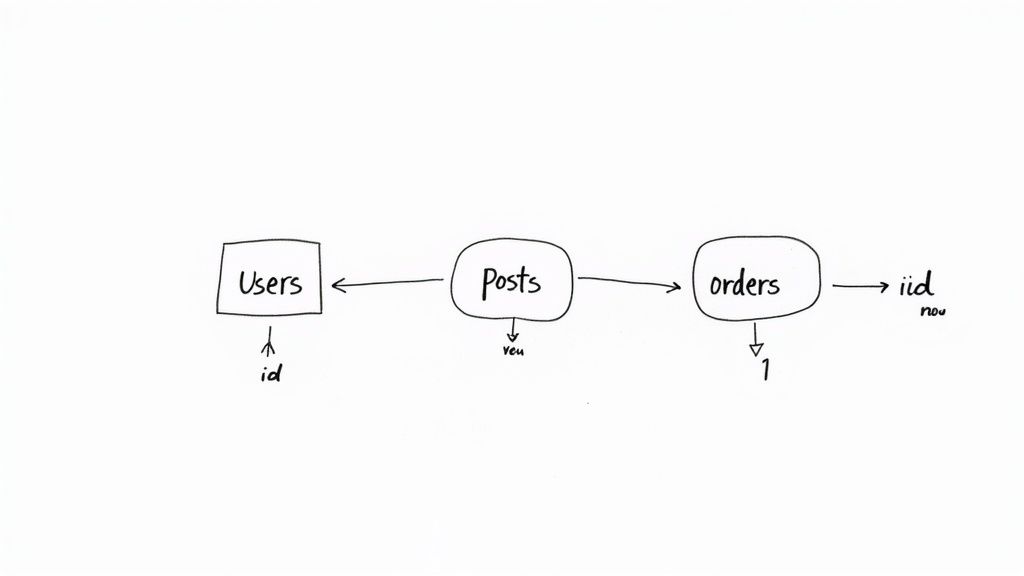
I once got stuck trying to figure out how to handle a complex user action and ended up with an endpoint that looked something like /activateUserAndSendWelcomeEmail. It was a mess. When an endpoint URL contains a verb, it's often a sign that the design is leaning towards a remote procedure call (RPC) style, which can lead to a proliferation of specific endpoints for every little action. This creates a brittle and hard to maintain system. Following this core principle is a crucial first step in building a truly RESTful service and one of the most important best practices for REST API design.
Why This Approach Works
- Predictability: Developers can guess endpoints. If they know
/usersexists, they can reasonably assume/users/{id}and/postsare also available. It's a huge mental shortcut. - Scalability: As you add more functionality, you are not adding more endpoints. Instead, you are applying new methods or parameters to existing resource endpoints.
- Clarity: The URL identifies the resource, and the HTTP method identifies the action. This separation of concerns is clean and easy to understand.
Actionable Tips & Examples
Instead of creating action based endpoints, structure your URIs around the resources they expose.
Avoid (Verb Based):
/getAllUsers/createNewPost/deleteUser?id=123
Prefer (Noun Based):
GET /users(Retrieve a list of all users)POST /posts(Create a new post, with data in the request body)DELETE /users/123(Delete the user with ID 123)
For nested relationships, the hierarchy should be reflected in the URL structure. To get all posts for a specific user, the endpoint is intuitive: GET /users/123/posts. This self documenting path makes the API a pleasure to work with.
2. Implement Proper HTTP Status Codes
Beyond just getting data back and forth, a well designed API communicates the outcome of a request clearly and programmatically. This is where HTTP status codes shine. They are the universal language for web clients and servers to understand success, failure, and everything in between. Using the correct code isn't a minor detail; it is a critical part of the API contract that enables clients to build robust error handling and response logic without having to parse the response body for clues.

When every error returns a generic 200 OK with an error message in the JSON, you force the client to inspect the body of every single response to determine if the request actually succeeded. This is brittle, inefficient, and violates a core tenet of web communication. Implementing proper HTTP status codes is one of the most impactful best practices for REST API design because it makes your API predictable and easier for developers to consume.
Why This Approach Works
- Standardization: HTTP status codes are a well defined standard. Developers immediately understand the difference between a
401 Unauthorizedand a403 Forbidden. No guesswork needed. - Efficient Error Handling: Clients can use the status code to route the response to the correct handling logic (e.g., retry on a 5xx, prompt for login on a 401) without needing to parse the response body.
- Improved Tooling and Monitoring: Proxies, load balancers, and monitoring tools can understand and react to HTTP status codes, providing better observability and alerting for your services.
Actionable Tips & Examples
Go beyond the basic 200 OK and 404 Not Found. Use the full range of codes to provide nuanced feedback to your API consumers.
Commonly Used Status Codes:
200 OK: Standard success response forGET,PUT, orPATCHrequests.201 Created: The request was successful, and a new resource was created as a result. Typically used forPOSTrequests. The response should also include aLocationheader pointing to the new resource.204 No Content: The server successfully processed the request but is not returning any content. Perfect forDELETErequests orPUTupdates where you do not need to send the object back.400 Bad Request: The server cannot process the request due to a client error, like malformed syntax or invalid parameters.401 Unauthorized: The client must authenticate to get the requested response.403 Forbidden: The client is authenticated, but does not have permission to access the requested resource.422 Unprocessable Entity: The request was well formed, but the server could not process it due to semantic errors (e.g., validation failures). This is more specific than a generic400.
3. Use Versioning for API Evolution
Your API is a living product; it will inevitably change and evolve. Adding a new feature, changing a data structure, or removing an old field are all part of the lifecycle. The challenge is making these changes without breaking the applications of all your existing consumers. This is where API versioning becomes not just a good idea, but a critical practice. It provides a clear contract, allowing clients to opt into new changes on their own schedule while maintaining stability for everyone else.
By explicitly stating a version in the API call, you create separate, stable worlds for your consumers. A client built against v1 can operate reliably for years, even as v2 and v3 introduce significant, backward incompatible changes. This strategy is a cornerstone of professional API management and a non negotiable best practice for REST API design in any production grade system. Major players like Stripe and GitHub have built their developer ecosystems on this foundation of trust and stability.
Why This Approach Works
- Prevents Breaking Changes: The primary benefit is that you can deploy updates and new features without disrupting existing client integrations. It is an act of respect for your users' time.
- Predictable Evolution: It allows developers to migrate to new versions at their own pace, with clear documentation and a defined upgrade path.
- Clear Communication: A version number is an explicit signal to consumers about the API's contract and expected behavior.
Actionable Tips & Examples
The most common and arguably clearest method for versioning is through the URL path. It is explicit, easy to browse, and caches well with standard HTTP infrastructure.
Avoid (Unversioned):
GET /users(What version is this? How do I know if the response shape will change tomorrow?)
Prefer (URL Path Versioning):
GET /v1/users(Clearly requests the first major version of the users resource)GET /v2/users(The client is opting into a newer, potentially different, version)
Other strategies exist, such as using custom request headers (Accept: application/vnd.api.v1+json) or query parameters (/users?version=1), but URL versioning remains the most straightforward and widely understood. When starting a new project, always begin with /v1/ in your endpoints. It signals foresight and makes future evolution a planned event rather than a reactive crisis.
4. Design Consistent and Intuitive URL Structures
A well designed URL is like a signpost for your API. It should be immediately understandable, predictable, and give developers a clear map of the resources available. When your URL structure is logical and consistent, it becomes self documenting, drastically reducing the cognitive load for anyone interacting with your service. This principle is about building a system that feels intuitive, where consumers can almost guess the next endpoint they need.
Thinking about URLs as a hierarchy that reflects your data model is key. If a Post belongs to a User, the URL should show that relationship. This approach, where the path itself conveys meaning, is a cornerstone of good REST API design. It prevents the API from feeling like a jumbled collection of unrelated endpoints and instead presents it as a cohesive, well organized system.
Why This Approach Works
- Discoverability: A logical structure makes your API easier to explore. Developers can infer relationships like
/users/{userId}/postsfrom the base/usersendpoint. - Maintainability: Consistent naming and structural rules make the API easier to manage and extend over time. New endpoints fit into a predefined pattern.
- Readability: Clean, hierarchical URLs are easy for humans to read and understand, which simplifies debugging and integration efforts.
Actionable Tips & Examples
Adopt a consistent convention and stick to it. Use lowercase letters and avoid underscores in favor of either spaces or simply running words together if needed, as this is a widely accepted standard for URLs.
Avoid (Inconsistent & Unclear):
/getUserPosts?user_id=123/company/{id}/DepartmentEmployees(mixing cases)/orders/123/add_item(using a verb)
Prefer (Consistent & Hierarchical):
GET /users/123/posts(Retrieve all posts for user 123)POST /orders/123/items(Create a new item within order 123)GET /companies/45/departments/7/employees(Get employees for a specific department)DELETE /users/123/settings/notifications(Manage a nested resource)
While nesting is powerful, try to keep the hierarchy shallow, ideally no more than two or three levels deep, to avoid overly long and complex URLs. For building such organized structures in Django, you can learn more about creating REST APIs with Django Rest Framework. This practice makes your API not just functional but genuinely pleasant to use.
5. Implement Pagination for Large Datasets
When an API endpoint returns a list of resources, it's rarely a good idea to send back the entire dataset in a single response. Imagine an endpoint like /posts that could return thousands, or even millions, of records. This would be a nightmare for both the server, which has to fetch and serialize all that data, and the client, which has to parse a massive payload. This is where pagination comes in as a crucial best practice for REST API design, allowing clients to retrieve data in manageable, bite sized chunks.
Implementing pagination is non negotiable for any resource that can grow unbounded. It improves performance by reducing the load on your database and network, prevents server timeouts, and provides a much better, more responsive experience for the end user. It transforms an unwieldy firehose of data into a controlled, navigable stream.
Why This Approach Works
- Performance: Fetching smaller chunks of data is significantly faster and less memory intensive for the server and the client.
- Reliability: Large, single requests are more prone to network failures and timeouts. Pagination makes the API more robust.
- User Experience: For frontend applications, pagination allows for features like "load more" buttons or infinite scrolling, which are essential for navigating large lists of items.
Actionable Tips & Examples
Choose a pagination strategy that fits your data's characteristics. The two most common are limit/offset and cursor based.
Limit/Offset (or Page Based): This is the simplest method, where the client specifies how many items to limit and where to start from, the offset.
GET /posts?limit=20&offset=0(Gets the first 20 posts)GET /posts?page=3&per_page=10(A variation, gets the 3rd page with 10 items per page)
Cursor Based (or Keyset): This method uses a "cursor," an opaque pointer to a specific item in the dataset. The client requests items after that cursor. It's more performant for very large, frequently updated datasets because it avoids the database performance issues of deep offsets.
GET /posts?limit=10&cursor=eyJpZCI6IDEwMH0=(Gets 10 posts after the one indicated by the cursor)
Your response should include pagination metadata to help the client navigate. Include links for next and previous pages, and a count of total items. This makes your API self documenting and easy to consume.
6. Use Filtering, Sorting, and Searching Effectively
Returning an entire dataset for a resource is rarely practical. A client might only need users who are active administrators, or posts from the last week sorted by popularity. Forcing clients to download everything and perform this logic themselves is inefficient, wastes bandwidth, and puts unnecessary strain on both the client and server. One of the most impactful best practices for REST API design is to empower clients by providing robust filtering, sorting, and searching capabilities directly in the API.
This approach gives the consumer of your API precise control over the data they receive. By exposing query parameters for these operations, you shift the responsibility of data reduction to the server, which is almost always better equipped for the task. The result is a faster, more flexible, and user friendly API that delivers exactly what is needed, and nothing more.
Why This Approach Works
- Improved Performance: Reduces payload sizes and server processing time, leading to faster response times and a better user experience.
- Reduced Bandwidth: Clients download only the data they need, which is crucial for mobile applications or users with limited connectivity.
- Enhanced Flexibility: Empowers API consumers to build complex queries and features without requiring backend changes for every new view.
Actionable Tips & Examples
Implement a consistent and intuitive system for query parameters. Use clear naming conventions to distinguish between filtering, sorting, and searching operations.
Filtering (Specific Criteria):
GET /users?role=admin&status=active(Finds users who are both an admin and active)GET /orders?created_after=2024-01-01&amount_min=100(Finds orders created after a date with a minimum amount)
Sorting (Ordering Results):
GET /posts?sort=-created_at,title(Sorts posts by creation date descending, then by title ascending)
Searching (Fuzzy Matching):
GET /products?search=laptoporGET /products?q=laptop(Finds products matching the term "laptop")
It is vital to validate and sanitize all incoming query parameters to prevent security vulnerabilities like SQL injection. Document all available parameters, their expected formats, and any allowed operators. This clarity ensures developers can effectively use the powerful querying features you have built.
7. Provide Clear and Comprehensive API Documentation
An API without documentation is like a library with no card catalog; the resources are there, but nobody can find them. Clear, comprehensive, and up to date documentation is not an afterthought but a core feature of your product. It's the user manual that empowers developers to integrate your service successfully, drastically reducing their time to first call and minimizing your support overhead. This is one of the most crucial best practices for REST API design because it directly impacts adoption and developer experience.
Great documentation, like that from Stripe or Twilio, acts as your API's primary onboarding tool. It guides users through authentication, explains every endpoint, and provides copy paste ready code examples. Failing to invest here means even the most brilliantly architected API will struggle to gain traction.
Why This Approach Works
- Accelerates Adoption: Developers can get started quickly without needing to contact your support team for basic questions.
- Reduces Support Burden: A well documented API answers common questions proactively, freeing up your engineering team.
- Builds Trust: Meticulous documentation signals a professional, well maintained product, giving developers confidence in your service.
- Enables Self Service: Interactive documentation tools allow developers to explore and test API calls directly from their browser.
Actionable Tips & Examples
Your documentation should be a living contract between your API and its consumers. The goal is to eliminate ambiguity.
Avoid (Poor Documentation):
- Only listing endpoint paths with no parameter or response details.
- Outdated examples that no longer work with the current API version.
- Failing to document authentication methods or required headers.
Prefer (Comprehensive Documentation):
- Use OpenAPI/Swagger: Generate an interactive, machine readable specification that serves as the single source of truth.
- Include Examples for Everything: Provide complete request and response examples for every endpoint, including all possible success and error states.
- Offer Multi Language Code Snippets: Include code samples in popular languages like Python, JavaScript, and Java.
- Create Quick Start Guides: Write tutorials for common use cases to guide new users through their first successful integration.
For a deeper dive into this topic, you can explore these 8 unmissable API documentation best practices for 2025. Furthermore, for comprehensive guidance on making your API easy to understand and use, explore further resources on code documentation best practices.
8. Implement Proper Authentication and Authorization
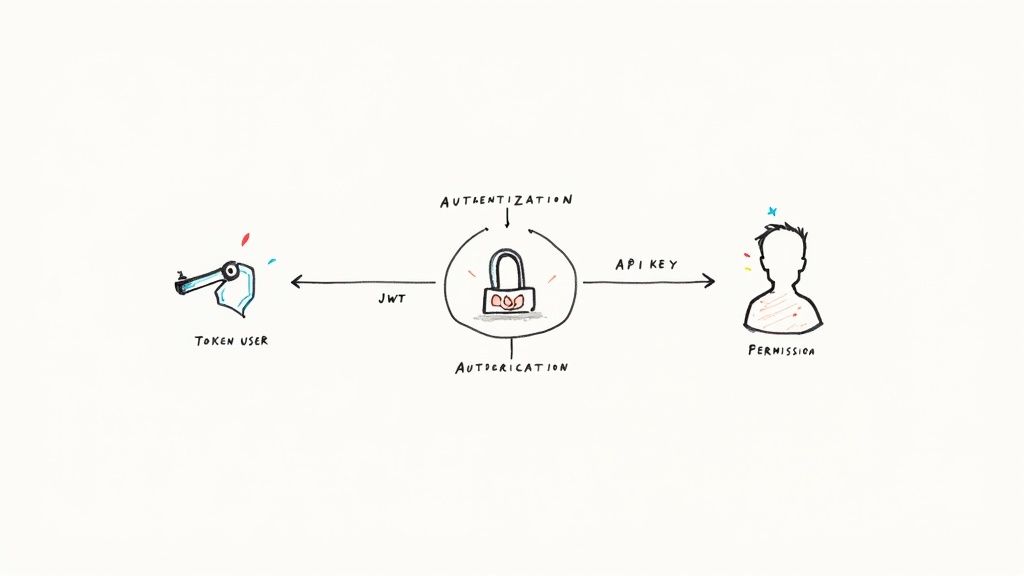
Securing your API is not an optional add on; it's a foundational requirement. A common point of confusion for developers is the difference between authentication and authorization. Authentication is the process of verifying who a user is (proving identity), while authorization is the process of determining what an authenticated user is allowed to do. Getting both right is critical for protecting your data and ensuring users can only access and modify what they are permitted to.
Neglecting this can lead to catastrophic data breaches and loss of user trust. Implementing robust security mechanisms from the start is one of the most critical best practices for REST API design. By using industry standard protocols like OAuth 2.0 or JWT, you can build a secure, scalable, and trustworthy service that protects both your platform and its users.
Why This Approach Works
- Security: Prevents unauthorized access to sensitive data and protects against common attack vectors.
- Trust: Users and client applications have confidence that their data is safe and that their permissions are respected.
- Scalability: Modern protocols like JWT are stateless, making them ideal for distributed, microservice based architectures.
- Granularity: Allows for fine grained control over who can see or do what, enabling complex business logic and permission models.
Actionable Tips & Examples
Always use HTTPS/TLS to encrypt communication. Credentials sent over unencrypted HTTP are completely exposed. For an in depth look at implementation details, check out this guide to Django REST Framework authentication.
Avoid (Insecure or Outdated):
- Sending username/password with every request (Basic Auth without TLS).
- Putting API keys or tokens in URL parameters (
/users/123?apiKey=...). - Rolling your own custom authentication system. This path is filled with peril.
Prefer (Industry Standards):
- OAuth 2.0: Use for delegated access, allowing third party applications to act on behalf of a user without exposing their credentials. Think "Log in with Google".
- JWT (JSON Web Tokens): Ideal for stateless authentication between services or for single page applications. A client receives a token after logging in and includes it in the
Authorizationheader for subsequent requests.Authorization: Bearer eyJhbGciOiJIUzI1NiIsInR5cCI6IkpXVCJ9... - API Keys: Good for simple, server to server communication where you need to identify the calling application, not necessarily a human user. Stripe and Twilio use this model effectively.
9. Handle Errors Gracefully with Informative Messages
Nothing frustrates a developer more than an API that fails silently or returns a cryptic error message. When something goes wrong, the consumer of your API is effectively flying blind, trying to debug an issue without any useful information. Graceful error handling is not a feature; it's a fundamental requirement for a usable and developer friendly API. A well designed error response transforms a moment of failure into a learning opportunity, guiding the user toward a successful request.
The goal is to provide a structured, predictable, and informative error payload alongside the correct HTTP status code. This allows the client application to handle the error programmatically while also giving the human developer a clear message about what happened and how to fix it. This practice is a cornerstone among the best practices for REST API design because it directly impacts developer experience and reduces support overhead.
Why This Approach Works
- Faster Debugging: Developers can immediately understand the problem without having to dig through logs or contact support.
- Improved Client Side Handling: A consistent error structure allows applications to parse responses and display user friendly messages or attempt automated recovery.
- Enhanced API Trust: A helpful API feels more robust and professional, building confidence among its consumers. Great examples include the APIs from Stripe and Twilio, which are famous for their excellent developer experience, largely due to their clear error handling.
Actionable Tips & Examples
Always return a JSON object for errors, using a consistent schema across all endpoints. Don't just send back a plain text error message.
Avoid (Vague and Unstructured):
// Response to POST /orders with missing 'product_id'
// Status: 400 Bad Request
"Invalid input."
Prefer (Structured and Informative):
// Response to POST /orders with missing 'product_id'
// Status: 400 Bad Request
{
"error": {
"type": "invalid_request_error",
"code": "parameter_missing",
"message": "The 'product_id' field is required to create an order.",
"param": "product_id",
"request_id": "req_aF4gH7kLpW9xZ"
}
}
This improved response provides a machine readable code (parameter_missing), a human readable message, the specific field that caused the issue (param), and a request_id for tracing. This level of detail empowers the developer to fix the problem quickly and efficiently.
10. Ensure API Security and Input Validation
Security is not a feature you add at the end; it's a foundational layer that must be integrated from the very first line of code. An API is an open door to your application's data and logic, and without robust security measures, it becomes a prime target for malicious actors. Comprehensive security involves a multi layered approach, encompassing everything from encrypting data in transit to rigorously validating every piece of incoming data. Neglecting this is not just a technical oversight, it's a significant business risk.
Treating every request as potentially hostile is a core tenet of API security. This means you should never trust client side data. All input must be validated on the server to protect against common vulnerabilities like SQL injection, Cross Site Scripting (XSS), and Cross Site Request Forgery (CSRF). Adopting this zero trust mindset is a critical best practice for REST API design, transforming your API from a potential liability into a secure, reliable asset.
Why This Approach Works
- Reduces Attack Surface: By enforcing HTTPS, validating inputs, and applying rate limiting, you significantly limit the ways an attacker can exploit your system.
- Builds Trust: Consumers, especially for financial or sensitive data APIs like Stripe or AWS, need assurance that their data is handled securely. Strong security is a feature that builds user confidence.
- Ensures Stability: Rate limiting and proper input validation prevent denial of service (DoS) attacks and stop malformed data from causing crashes or unexpected behavior in your application.
Actionable Tips & Examples
Always design with a security first mindset. This means assuming all input is malicious until proven otherwise and locking down every potential entry point.
Enforce HTTPS & Strong Ciphers:
Never allow unencrypted HTTP traffic. Use a tool like SSL Labs to test your server configuration and ensure you are using modern, secure cipher suites.
Implement Strict Input Validation:
Don't just check if a field exists; validate its type, length, format, and range. Use allowlists for accepted values rather than trying to block bad ones.
- Avoid (Loose Validation):
if 'email' in request.data: - Prefer (Strict Validation): Use a library like Django REST Framework's serializers to define and enforce strict rules:
email = serializers.EmailField(max_length=100)
Configure CORS and Security Headers:
Avoid using wildcard * for Cross Origin Resource Sharing (CORS) unless your API is truly public. Implement essential security headers to protect against browser based attacks.
Access-Control-Allow-Origin: https://your-trusted-frontend.comX-Content-Type-Options: nosniffX-Frame-Options: DENY
To deepen your understanding, you can explore some of the most common and effective tools used in the industry. For a comprehensive overview, learn more about essential application security testing tools on kdpisda.in that help identify and mitigate these vulnerabilities.
Top 10 REST API Design Best Practices Comparison
| Practice | Implementation complexity | Resource requirements | Expected outcomes | Ideal use cases | Key advantages |
|---|---|---|---|---|---|
| Use Nouns for Resources, Not Verbs | Low–Moderate (design rules) | Minimal (design/time) | Cleaner, discoverable endpoints | CRUD style public REST APIs | Aligns with HTTP semantics; fewer endpoints |
| Implement Proper HTTP Status Codes | Low (discipline & mapping) | Minimal (docs, tests) | Predictable client handling and debugging | All APIs | Enables automated error handling; clearer contracts |
| Use Versioning for API Evolution | Moderate–High (routing & lifecycle) | Increased (maintain versions, docs, tests) | Backward compatibility; safe breaking changes | Public APIs with many clients | Controlled evolution; supports deprecation |
| Design Consistent and Intuitive URL Structures | Low–Moderate (planning) | Minimal (design effort) | Predictable, self documenting endpoints | APIs with hierarchical data models | Improves discoverability and developer experience |
| Implement Pagination for Large Datasets | Moderate (cursor/keyset logic) | Moderate (state, DB changes, metadata) | Better performance and scalability | List endpoints returning many items | Reduces memory and latency; enables efficient streaming |
| Use Filtering, Sorting, and Searching Effectively | Moderate–High (query parsing, indexing) | Moderate–High (DB indexes, query engines) | Flexible, efficient data retrieval | Catalogs, search heavy APIs, analytics | Reduces bandwidth; empowers precise queries |
| Provide Clear and Comprehensive API Documentation | Moderate (ongoing maintenance) | Moderate (tools, examples, writers) | Faster adoption; fewer support requests | Public APIs and partner integrations | Self service onboarding; improved DX |
| Implement Proper Authentication and Authorization | High (secure flows & policies) | High (auth infra, token mgmt, monitoring) | Controlled access; secure operations | Any API handling sensitive or user specific data | Protects data; supports delegation and fine grained access |
| Handle Errors Gracefully with Informative Messages | Low–Moderate (format design) | Minimal–Moderate (logging, docs) | Easier debugging; better client resilience | All APIs | Improves developer experience; enables programmatic retries |
| Ensure API Security and Input Validation | High (security controls & audits) | High (security tooling, testing, updates) | Lower vulnerability risk; compliance readiness | Public facing or sensitive data APIs | Prevents common attacks; builds consumer trust |
Bringing It All Together: Your API Is a Product
We have journeyed through the ten foundational pillars of modern API design, from the simple elegance of noun based resource naming to the non negotiable fortress of robust security and validation. It's easy to see these as a checklist, a series of technical tasks to complete. But if you look closer, a single, powerful theme connects every single point: empathy for the developer.
Every decision we make, from choosing 404 Not Found over a generic 500 Internal Server Error, to providing clear pagination links, is an act of communication. We are building a user interface, not for a visual consumer, but for another developer, another system, another human trying to solve a problem. The ultimate goal of these best practices for REST API design is to reduce cognitive load, eliminate ambiguity, and create a predictable, stable, and even enjoyable development experience for your API consumers. Think of it this way: your API is not a side effect of your application; it is the product.
The Philosophy of a Product Mindset
When you start treating your API as a product, your perspective shifts entirely. You stop thinking about just exposing database models and start thinking about the "jobs to be done" for your users.
- Your endpoints become features. A
GET /api/v1/orders/endpoint isn't just a data query; it's a feature that allows a user to "view their order history." - Your documentation becomes the user manual. Clear, comprehensive, and interactive documentation (like we discussed with tools like Swagger/OpenAPI) is your onboarding process, your support channel, and your marketing material all in one. Neglecting it is like selling a complex appliance without instructions.
- Your versioning strategy becomes a promise of stability. When you implement a
v2, you are communicating to your users that you respect their existing integrations and will not break their workflows without warning. This builds trust, a critical currency in the API economy.
This shift in thinking is the core of a successful API program. It forces you to consider the entire developer lifecycle, from discovery and first use to long term maintenance and eventual deprecation. Ultimately, treating your API as a product means embracing an API-first approach to product development, which inherently drives better design, documentation, and overall utility. Your API becomes a first class citizen in your architecture, not an afterthought.
Your Actionable Path Forward
We've covered a lot of ground, and it can feel overwhelming. Don't let the pursuit of perfection lead to paralysis. Instead, focus on iterative improvement.
- Audit Your Current API: Take one of your existing endpoints and grade it against the principles in this article. Where are the biggest gaps? Start there. Is it error handling? Add more descriptive error messages. Is it pagination? Implement a consistent strategy.
- Establish Team Conventions: Get your team together and agree on a core set of conventions. Document them in a shared space. Consistency is your greatest ally in creating a coherent and intuitive API surface.
- Invest in Tooling: Automate what you can. Use tools like Django Ninja or DRF Spectacular to auto generate OpenAPI schemas. Implement automated testing for your core endpoints to catch regressions before they hit production.
Building a truly great API is a continuous process of refinement, listening to feedback, and applying established principles with discipline. It's a craft that blends technical precision with a deep understanding of user needs. By internalizing these best practices, you are not just writing code; you are building robust, scalable, and developer friendly products that will stand the test of time.
Wrestling with these challenges in your own projects? If you are a founder or CTO looking to build a production grade, scalable, and secure API architecture, I can help. I am Kuldeep Pisda, and I specialize in on demand technical mentorship and code audits to help early stage startups navigate these complex engineering puzzles. Learn more at Kuldeep Pisda.
Subscribe to our newsletter.
Become a subscriber receive the latest updates in your inbox.




Member discussion