

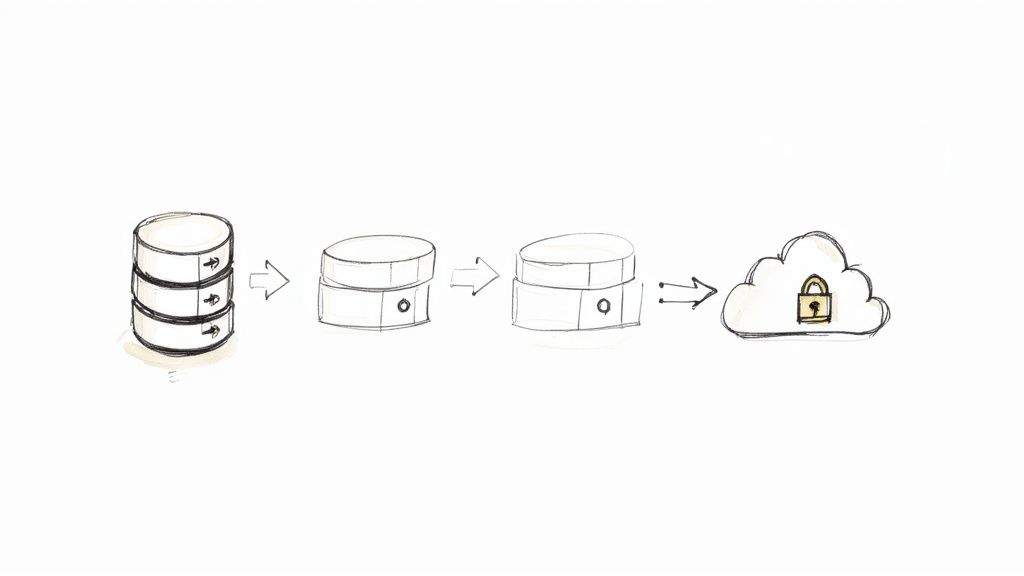
I remember the night when our small team faced a data wipeout we never saw coming. A single mistyped command erased half our records and I found myself pacing the office floor, heart in my throat, asking: were our database backup strategies really up to the task? That sleepless moment taught me that having backups is one thing but trusting them is another. Let us pause and reflect: if you have ever stared at a backup error with no clue why it failed, you are in good company.
Essential Database Backup Strategies
Think of database backups like packing luggage for a big journey. You choose what goes in the bag and how often you revisit it. Each approach—from a Full backup to Point In Time Recovery—balances speed, safety and cost in its own way.
Imagine an airport sorting millions of suitcases. Each backup style is its own baggage conveyor.
- Full Backup loads every suitcase into one shipment so everything you need is in one place.
- Incremental Backup sends only new bags that arrived since the last departure, cutting transit time.
- Differential Backup gathers every change since that full flight, so you need just two shipments to rebuild.
- Snapshots freeze your entire shipment at a moment in time, with almost no hold up to operations.
- Replication streams each bag to a standby airport, ready for takeoff at a moment's notice.
- Point In Time Recovery logs every transaction like a flight manifest so you can rewind and repack at any second.

Cloud adoption for backups soared from 28% in 2019 to 54% by 2022, boosting the market from 1.2 billion dollars up to 4.5 billion dollars in the early twenty twenties. For a deep dive into these shifts, check out Expert Insights on Cloud Backup Trends.
When To Use Each Strategy
Below is a quick look at how these backups line up against key recovery goals, effort and common scenarios.
| Strategy Type | Recovery Point Objective Impact | Complexity | Typical Use Case |
|---|---|---|---|
| Full Backup | High Safe Point | Low to Moderate | Small projects needing straightforward restores |
| Incremental Backup | Moderate | Moderate | Environments requiring frequent snapshots |
| Differential Backup | Moderate to High | Moderate | Teams balancing restore speed and storage use |
| Snapshots | Low | Low | Cloud native systems with ephemeral storage |
| Replication | Very Low | High | Always on services where downtime is unacceptable |
| Point In Time Recovery | Minimal | High | Financial, healthcare or audit heavy setups |
Each scenario demands its own mix of cost, complexity and recovery objectives. Small side projects often stick with Full Backups or Snapshots for simplicity. Mission critical applications lean on Replication or Point In Time Recovery to guarantee near zero data loss.
Choose the approach that matches your team's risk tolerance, budget and the pace at which your data changes.
Understanding Key Concepts
When you pick a backup strategy, you need more than definitions—you need a mental model that clicks. Without concrete examples, jargon just spins your head.
Backup approaches shape how you store and restore data. The first fork in the road? Logical versus Physical backups. Only after that should you explore automation and metrics.
- Logical Backups run SQL exports or CSV dumps, turning your data into a portable format.
- Physical Backups copy raw files at the storage layer, preserving folders, files and timestamps exactly.
Your choice impacts restore speed, granularity and flexibility.
Recovery Objectives Explained
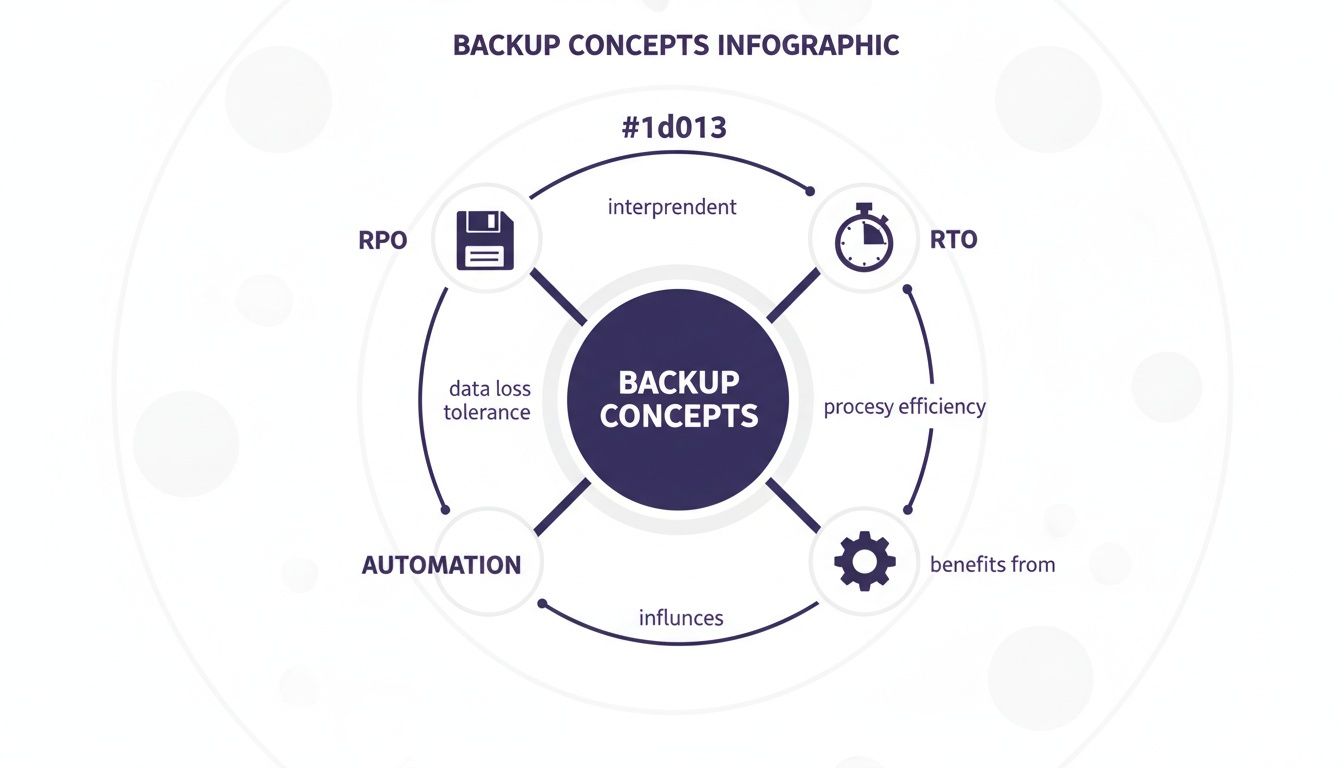
Think of Recovery Point Objective (RPO) as the last save in a video game. It answers: how much progress am I willing to lose if things go sideways? Meanwhile, Recovery Time Objective (RTO) is your loading screen duration—the time it takes to get back into action. Going for a low RTO cuts downtime but often raises costs.
Clear objectives help teams balance data safety with operational speed.
- RPO sets the tolerance for data loss.
- RTO defines how quickly services must resume.
Together, they shape your backup frequency and tool selection.
Checkpoint On Why Metrics Matter
Laying down firm RPO and RTO targets shields you from nasty surprises. At small scale, hand rolled scripts might do the trick. But as your database grows, manual processes invite errors and missed runs.
- Manual routines need constant checks and updates.
- Automated workflows run on a set schedule—no babysitting.
- Alerts and monitoring spot failures before they become outages.
According to a 2025 survey of 150 IT and cloud leaders, 51% of organizations still rely on manual or semi automated backups. Shockingly, only 5% have fully automated their cloud backup posture—leaving room for serious risk as environments scale. Read the full research about cloud backup findings on eon.io
Check out our guide on data encryption best practices your startup cant ignore in 2025 for securing backups further.
By nailing these basics, you will weigh speed, safety and cost with confidence as you build out your backup playbook.
Comparing Strategy Types
Picking the right approach can feel like planning a road trip: you balance distance, time and pit stops. In the next few sections, we will break down full, incremental, and differential backups, then dive into snapshots, replication and point in time recovery. By the end, you will see how each method captures your data journey and learn which fits your specific needs.
Full, Incremental, And Differential Backups
A full backup is like photocopying an entire library—you get every book, but it takes time and shelf space. In contrast, an incremental backup scans only what's new since the last run, much like adding only the brand new pages to a binder. And a differential backup copies changes since the last full backup, so you always have two "shipments" to rebuild the collection.
Think about it:
- Full backups demand the most storage but make restores foolproof.
- Incremental backups cut your nightly window by capturing only fresh data, though restores can stretch out.
- Differential backups strike a middle ground: you combine the last full image with one differential set for a faster rebuild.
"By switching from full to differential backups, our team sliced the nightly window from four hours down to two, while keeping restores under 15 minutes."
Snapshot And Replication Strategies
Moving to the next layer, snapshots behave like freezing a book in mid sentence. They tap into your storage array's capabilities, creating point in time images in seconds. Just keep an eye on retention costs—those frozen moments pile up quickly.
On the flip side, replication streams every write operation to a standby system. Imagine someone copying each sentence you write in real time. The benefit? Near zero data loss and almost instant failovers. The trade off is network complexity and careful capacity planning.
- Snapshots offer low operational impact and fast creation.
- Replication delivers minimal RPO but scores high on setup complexity.
- Point in Time Recovery logs each transaction, giving you rewind power down to the last second—essential for audit heavy environments but demanding disciplined log management.
Comparison Of Backup Strategy Features
| Backup Type | RPO Impact | RTO Impact | Storage Overhead | Setup Complexity |
|---|---|---|---|---|
| Full Backup | High | Moderate | High | Low |
| Incremental Backup | Moderate | High | Low | Moderate |
| Differential Backup | Moderate to High | Moderate | Medium | Moderate |
| Snapshots | Low | Low | Medium | Low |
| Replication | Very Low | Very Low | High | High |
| Point In Time Recovery | Minimal | Minimal | Medium | High |
By reviewing this chart, you can quickly see the trade offs between storage overhead and restore speed, then shortlist the tactics that align with your budget and downtime targets.
Industry surveys consistently show that data loss and ransomware risks drive teams to adopt hardened strategies—think immutable backups, air gapped copies and the 3 2 1 1 rule—to stay one step ahead of modern threats. Learn more about backup resilience findings on BlackCell.
Check out our guide on high availability architectures that actually works to support truly resilient recovery.
Matching Technical And Budget Constraints
Every strategy comes with its own speed, safety and cost profile. If simplicity is your priority and data changes slowly, stick with full backups. When you need frequent snapshots and have tight storage, choose incrementals. If you crave faster restores without tracking every tiny change, differential backups hit the sweet spot.
For cloud native platforms, snapshots integrate seamlessly. Meanwhile, replication or Point In Time Recovery shine in mission critical setups where downtime is measured in seconds. No matter your choice, the single most important step is to test it regularly with restore drills. Only then will you know your backups truly work when it matters most.
Implementation Guidance For Popular Databases
Getting a solid backup routine in place can feel like tightrope walking over a canyon. Each engine—PostgreSQL, MySQL, MongoDB and the cloud managed offerings—has its own quirks. Let us explore examples you can adapt in minutes.
Postgres Backup Script
For most teams, a simple pg_dump with compression and checksums is all you need to sleep at night. Here is a quick rundown:
- Step 1: Use
pg_dumpfrom PostgreSQL to export your data withgzipcompression. - Step 2: Tag that output folder with a timestamp so nothing gets overwritten.
- Step 3: Run a checksum (
sha256sum) to catch bit rotten files early.
In practice this runs in under 5 minutes on a few gigabytes of data and gives you a single .sql.gz file you can trust. Customize retention by adding a cron job cleanup routine.
#!/bin/bash
TIMESTAMP=$(date +%F_%H%M)
mkdir -p /backups/pg/$TIMESTAMP
pg_dump -U admin -h localhost mydb | gzip > /backups/pg/$TIMESTAMP/mydb.sql.gz
sha256sum /backups/pg/$TIMESTAMP/mydb.sql.gz > /backups/pg/$TIMESTAMP/checksum.txt
Here is a screenshot from a popular Postgres backup tool configuration:
Notice the compression level and retention policy settings—they are the key to balancing speed and storage costs.
Mysql Backup Steps
MySQL's native logical export tool, mysqldump, works great when paired with GNU tools:
- Run
mysqldumpwith--single-transactionfor consistent snapshots. - Pipe through
gzipand append a timestamp to the filename. - Store logs and an MD5 checksum next to your dump.
On larger instances swap in MySQL Community's mysqlpump or compile parallel options yourself. Do not forget to lock down the backup user with least privileges—SELECT, LOCK TABLES and SHOW VIEW is usually enough.
Mongodb Backup And Restore
MongoDB gives you two paths:
- Logical Dumps:
mongodumpfor per collection exports, with query filters if you only need a subset. - Physical Snapshots: WiredTiger plus file system snapshots (LVM, EBS and so on) for near instant volume copies.
A typical mongodump flow:
- Dump collections into a folder named with an ISO timestamp.
- Verify BSON files with
md5or another quick checksum.
To restore, point mongorestore at your directory. Works perfectly in Docker pipelines and containerized CI CD environments.
Cloud Database Backup Tips
Cloud providers handle most heavy lifting, but tagging and lifecycle rules are still your responsibility.
"Automated snapshots reduce manual errors and ensure compliance with minimal effort"
| DB | Backup Command | RTO Impact | RPO Impact | Verification |
|---|---|---|---|---|
| Postgres | pg_dump script | Moderate | Moderate | sha256sum |
| Mysql | mysqldump job | High | Moderate | md5 |
| MongoDB | mongodump flow | Low | Low | md5 |
| RDS | Automated snapshot | Low | Low | AWS verify |
For AWS RDS, define lifecycle policies in Terraform or CloudFormation to rotate snapshots automatically. On Azure SQL enable geo redundant backups and configure long term retention.
Azure Sql Backup Approach
Point in time restores are built in, but you can still export on demand:
- Generate BACPAC files with
az sql db export. - Store them in a Blob Storage container with a defined retention rule.
- Automate daily or weekly exports via Azure DevOps pipelines.
This model suits teams that want full control over file exports without waiting for cloud snapshots.
Permissions And Security Best Practices
Forget encryption key rotation and strict IAM roles at your peril. Here is the quick list:
- Encrypt backups at rest and in transit with SSL TLS.
- Grant backup users least privilege.
- Rotate access keys and certificates every 90 days.
- Store secrets in a vault (AWS Secrets Manager, Azure Key Vault).
Scripts often leak credentials in logs or file paths. A brisk audit of backup directories should be part of your routine.
Regular testing of restores is the only way to trust your backups
Summary Of Implementation Tips
Pick the simplest toolchain that meets your RTO and RPO. Track scripts in version control for accountability.
- Test restores at least monthly.
- Monitor job durations and alert on anomalies.
- Fail your CI build if checksum mismatches ever occur.
By following these patterns, you will embed a robust backup pipeline right alongside your CI CD workflows. In the next section, we will dive into integrating backups into your pipeline and running full scale restore drills.
Automating Backups And CI CD Integration
Once you have nailed down reliable manual scripts, the next step is weaving database backup strategies into your CI CD pipeline. Automating this process cuts human error and guarantees your snapshots are always fresh.
CI CD platforms like Jenkins, GitLab CI and GitHub Actions all support scheduled jobs or triggers after schema changes. Let us explore how each one tackles scheduling and verification.
Scheduling Jobs On Cron Style Calendar
Every CI CD tool has its own cron like syntax for recurring tasks:
- Jenkins: Add your cron expression under Build Triggers.
- GitLab CI: Use the schedules section in your
.gitlab-ci.yml. - GitHub Actions: Declare
on: schedulewith a cron line in the workflow file.
"If a backup step fails, our pipeline stops and alerts the team immediately."
Verification is non negotiable. Tie in a checksum check or spin up a test restore in a follow up job to confirm your backup is actually usable.
# CI Backup Step
- name: Run backup
  run: ./scripts/db_backup.sh
- name: Verify checksum
  run: sha256sum -c backups/backup.sha256
Triggering After Migrations
Schema migrations can be a mine field if you do not snapshot beforehand. Hook into your migration tool to back up right after every change:
- In Rails, add a custom Rake task post migrate.
- In Django, call a management command in the
post_migratesignal. - With Liquibase, use an
<exec>tag to invoke your backup script.
Calling Serverless Functions For Scheduling
Offload scheduling to serverless and lighten your runners:
- Invoke AWS Lambda via AWS CLI, passing your database instance details.
- Use EventBridge to trigger Lambda on your cron schedule.
- Package backup logic as Lambda layers to keep deployments lean.
Key Insight: EventBridge plus Lambda lets you version backup code separately and frees up CI CD agents.
Monitoring Alerts And Notification Rules
A failed backup should never slip through the cracks. Configure alerts in your pipeline so you know exactly when—and why—something went wrong:
| Tool | Notification Method | Trigger Condition | Recipient |
|---|---|---|---|
| Jenkins | Job failure | [email protected] | |
| GitLab CI | Slack | Pipeline failed | #ci-alerts |
| GitHub | PagerDuty | Checksum mismatch | OnCall Team |
Practical Checklist For CI CD Backup Stages
- Isolation: Ensure your backup script does not depend on external services.
- Integrity: Validate with checksums or execute a quick restore.
- Approval Gates: Pause for manual review if big schema changes pop up.
- Notifications: Alert on failure with clear, actionable messages.
- Audit Trail: Archive logs and artifacts for compliance.
Learn more about pipeline scheduling and approval gates in our article on Continuous Integration Best Practices That Wont Make You Cry.
Embedding backups into CI CD turns ad hoc jobs into reliable pipeline stages. With automated scheduling, verification and alerting, you keep every build green and every dataset protected.
Start automating today and sleep soundly knowing each code change fires off a fresh, verified backup.
Testing Restore Drills And Avoiding Pitfalls
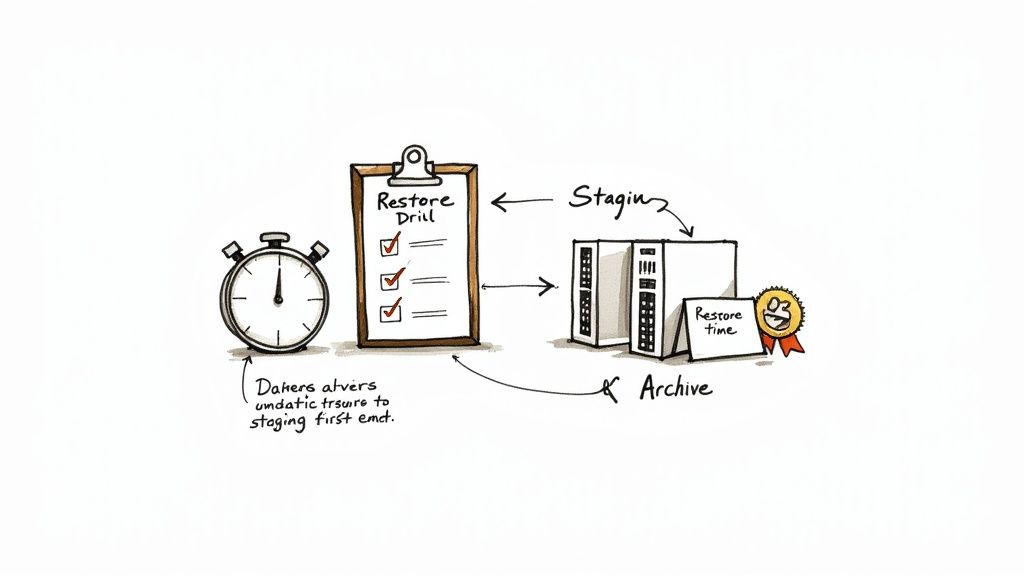
You only discover the true value of a backup when you actually restore it. Think of restore drills like a fire drill—but for your database.
In one of my early projects, we did not catch a corrupt archive until we spun up our staging environment. A missing checksum step had allowed bit rotten data to creep in undetected.
Common pitfalls teams face include:
- Restoring directly into production without isolation
- Overlooking database role permissions and access controls
- Skipping checksum or file integrity verification
- Failing to throttle network resources during large restores
- Not updating playbook steps after system changes
Planning Regular Restore Drills
Establishing a regular drill cadence keeps your team on their toes. It forces you to document every step—so there are no surprises when time is of the essence.
- Define the restore scope and objectives
- Provision an isolated test environment mirroring production
- Execute the restore following your playbook
- Verify data integrity with row counts, checksums and sample queries
- Record outcomes and refine the playbook based on lessons learned
Regular restore exercises surface hidden issues before they impact end users
Measuring Restore Time Metrics
If you do not measure it, you cannot improve it. Tracking each phase of your restore drills helps you hit your RTO targets.
Start the timer when data begins loading and stop it once validation completes. Break down the timeline for deeper insights:
- Start Time Stamp for data load
- Duration of data import or snapshot apply
- Validation Time spent on post restore queries
- Total Restore Time to meet your SLAs
Use these metrics to tune parallelism, network allocation and hardware sizing. Check out our guide on disaster recovery planning checklist the guide I wish I had years ago for a full set of DR planning templates.
Avoiding Common Pitfalls
Restore failures often boil down to a handful of predictable mistakes. Catch them early in drills so they do not surprise you in production.
| Pitfall | Solution |
|---|---|
| Missing permissions | Grant least privilege roles in test env |
| Skipped integrity checks | Integrate checksum tools in pipeline |
| Direct production restores | Always use isolated or sandbox environments |
| Untracked playbook changes | Store playbooks in version control |
Detecting these issues during dry runs builds confidence and sharpens your response when a real incident strikes. Aim for monthly or quarterly drills aligned with your RTO targets.
Final Tips
Define clear objectives for each drill and share the results across your team. After every exercise, run a post mortem to capture what went well—and what needs work. Assign concrete action items, then revisit your database backup strategies to keep them aligned with your SLAs.
Common Questions About Database Backup Strategies
The world of data protection often leaves teams with more questions than answers. This mini FAQ cuts through the noise and offers actionable pointers to sharpen your backup approach.
What Distinguishes Full, Incremental, And Differential Backups?
When you run a full backup, you snapshot every record in one go. That gives you the fastest RTO, but also demands the most storage.
"Picking the right backup type up front can cut restore time by over 50%," notes a veteran DBA.
With incremental backups, you capture only new or changed data since the last run. Storage stays lean, but a full recovery means replaying each incremental set.
Differential backups fall in the middle—they gather all changes since the last full backup, so recovery needs just two steps: full plus differential.
| Backup Type | RPO Impact | RTO Impact | Storage Overhead |
|---|---|---|---|
| Full Backup | High | Low | High |
| Incremental Backup | Moderate | High | Low |
| Differential Backup | Moderate to High | Moderate | Medium |
Automating Verification In Pipelines
Routine backup jobs are great—until you discover corrupted files days later. Automation catches problems in minutes, not after a crisis.
- Add a checksum step like
sha256sum -c backups/latest.sha256. - Fail the build on mismatch to keep broken archives out of production.
- Spin up a quick test restore in a parallel job to confirm integrity.
jobs BackupVerify
  steps
    - run ./scripts/db_backup.sh
    - run sha256sum -c backups/latest.sha256
Testing Restore Drills
No one likes surprise fire drills, but they're essential for real world readiness. Run restore simulations on a regular cadence—monthly or just before each major release works well.
- Use isolated environments to avoid accidental production overwrites.
- Time and log each phase: data load, validation, total RTO.
- Review your team's playbook and update it after every drill.
| Pitfall | Preventive Step |
|---|---|
| Missing permissions | Grant least privilege roles in sandbox |
| Skipped integrity checks | Enforce checksum validation in pipeline |
| Direct restores in production | Always use isolated test environments |
When To Adopt Immutable Backups
Immutable copies belong in your arsenal when compliance or audit rules demand tamper proof archives. They're also your best defense against ransomware in mission critical systems.
- Combine immutable storage with the 3 2 1 1 backup rule for an air gapped safety net.
- Factor in your data change rate, budget and long term retention needs.
- Revisit and tweak your approach as applications and teams evolve.
Align your backup strategy to your growth stage: start simple, then layer in automation and verification as you scale.
Choosing The Right Strategy
Backup needs shift dramatically from a two person startup to a global scale up. Early on, full backups or snapshots keep things simple and low touch.
- As volumes grow, introduce incremental backups and pipeline checks.
- At scale, add point in time recovery via replication to meet strict RPO/RTO SLAs.
- Always base decisions on your data change profile and cost targets.
- Review your plan frequently—team workflows and data patterns will change over time.
Ready to strengthen your data resilience? Partner with Kuldeep Pisda for expert consulting and hands on guidance at https://kdpisda.in to get started today.
About the Author
Kuldeep Pisda is a database performance consultant and writer with over a decade helping teams build reliable data pipelines. He loves translating complex backup challenges into clear routines that even first time engineers can trust. Reach out for hands on coaching and workshops to level up your database resilience.
Subscribe to our newsletter.
Become a subscriber receive the latest updates in your inbox.
Member discussion