

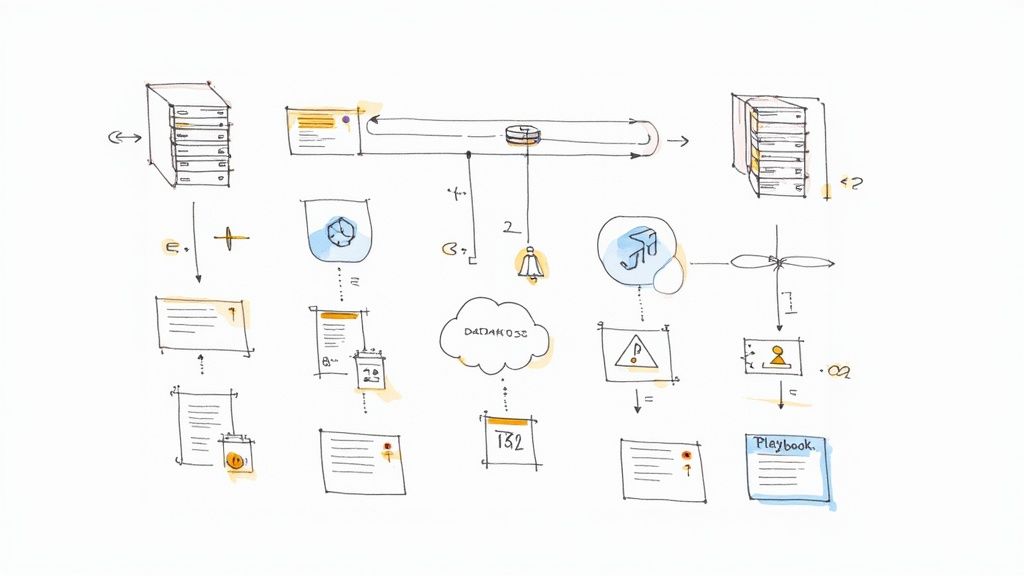
It's 3 AM, and your phone lights up with a PagerDuty alert. The main database is just… gone. Not slow, not lagging. Unresponsive. As an engineering lead, my stomach used to drop just thinking about this. We were all moving at light speed, shipping features, chasing that elusive product market fit. Who has time to plan for a catastrophe that might never happen?
I learned the hard way. A client of mine once had their entire Redis cluster—the one handling every critical user session—vaporize because of a misconfigured cloud script. The scramble to recover was a painful, frantic ballet of engineers trying to remember how everything was wired together. It revealed just how fragile our "it will probably be fine" assumptions were. That experience forced us to stop and ask the real question: what is our actual plan when things go sideways?
This is not about writing some corporate policy document to satisfy an auditor. This is about survival. That's why I put together this disaster recovery planning checklist. It's the guide I wish I had back then, built from real world scar tissue and focused on what truly matters for a growing tech team. We'll walk through the journey from chaos to confidence, step by step. Let's level up.
1. Get a Crew Together: The Disaster Recovery Committee
Let's pause for a moment. What's the first mistake most of us make? We treat disaster recovery as a "tech problem" and toss it over the fence to a senior engineer. I've seen this movie, and it does not end well. A real disaster doesn't just hit the servers; it hits finance, customer support, and legal. The first step on any real disaster recovery planning checklist is to build a cross functional team.
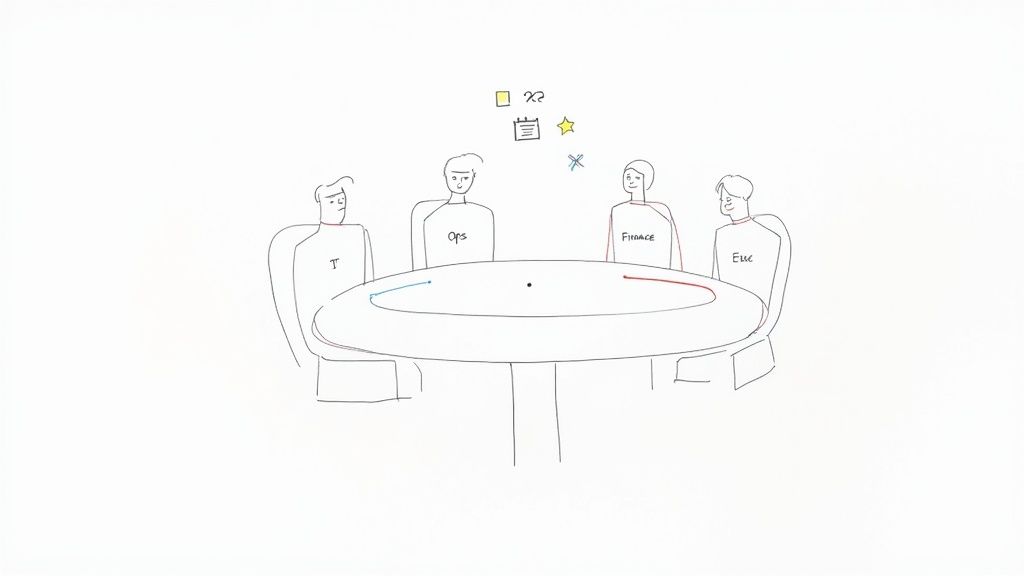
Think of this committee as the central nervous system for your resilience strategy. Their job is to make sure the plan is more than just a folder of scripts. It needs to be a business continuity blueprint. Engineering knows how to restore a database, sure. But finance knows the critical window for running payroll. Legal knows the data breach notification laws in your key markets. Without bringing these people into the room, your technical recovery might be a success, but the business could still fail.
How to Actually Do This:
- Get an Executive Sponsor: This whole thing needs teeth. Make sure a C level exec, like the CTO or CEO, is in the room. Their presence sends a clear message: this matters. It also helps when you need resources.
- Assign Roles: Figure out who does what. Who has the final call to activate the plan? Who talks to customers? Who is the incident commander? A simple RACI (Responsible, Accountable, Consulted, Informed) chart can save you from a world of confusion later.
- Set a Rhythm: Schedule regular meetings. Maybe monthly at first, then weekly when you're deep in planning. These aren't for status updates; they are for making decisions and moving forward.
- Invite Everyone to the Party: Your committee should look like a mini version of your company. Bring in leaders from Engineering, Product, Operations, Finance, Legal, and Customer Support. You need all their perspectives.
2. Figure Out What a Disaster Actually Costs: The Business Impact Analysis (BIA)
Okay, you've got your committee. Now for the first big quest: figuring out what an outage actually costs. This isn't about guessing. It's a formal process called a Business Impact Analysis, or BIA. It's how you identify your most critical business functions and put a number on how much money and operational chaos their disruption would cause. Without a BIA, your disaster recovery planning checklist is just a technical wish list. With one, it's a data driven roadmap.
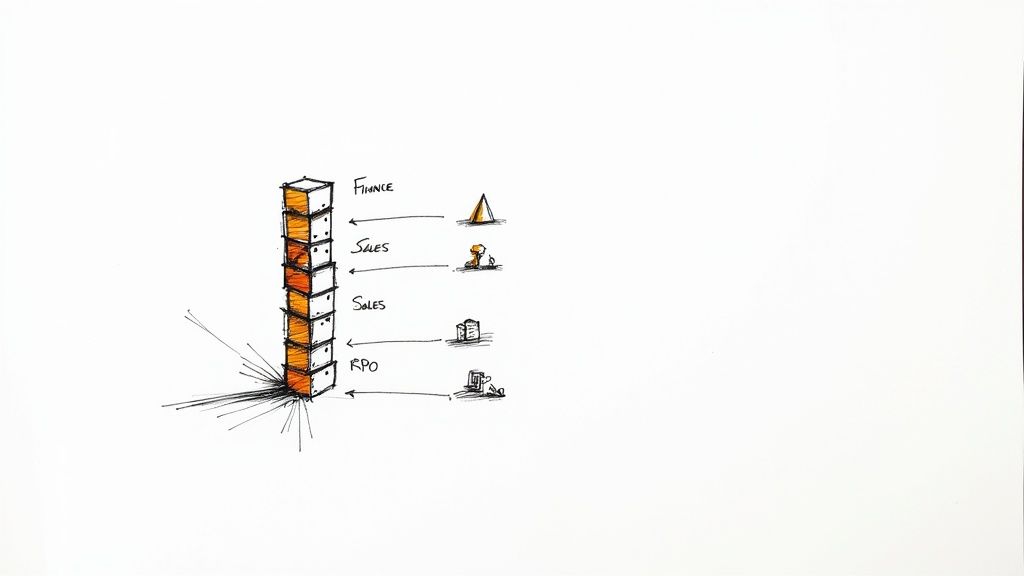
This is where you define two of the most important (and jargon heavy) metrics in this world: RTO and RPO. Let's break them down.
- Recovery Time Objective (RTO): How long can this thing be down before we're in serious trouble?
- Recovery Point Objective (RPO): How much data can we afford to lose?
For example, your payment processing service might have an RTO of 15 minutes and an RPO of zero (no lost transactions, ever). But your internal analytics dashboard? Maybe an RTO of 24 hours and an RPO of 12 hours is totally fine. The BIA gives you the business case for these numbers, which then dictates your architecture, backup strategy, and budget.
How to Actually Do This:
- Talk to People: Your engineers can't decide what's critical for the sales team. Sit down with leaders from other departments. Ask them: "If you could only save three processes your team does, what would they be?" and "What's the financial hit if this service is down for an hour? A day?"
- Map the Dominoes: An outage is rarely a single event. A failure in your authentication service could cascade and take down your main app, internal tools, and public API all at once. Whiteboard these dependencies.
- Use Real Numbers: Don't guess. Try to quantify the impact. This includes lost revenue, fines for breaking SLAs, and the harder to measure damage to your brand.
- Don't Set It and Forget It: Your business changes. New products launch, new markets open. The BIA needs to be a living document. Review it with your DR committee every year.
3. Know Your Stuff: Document Critical Systems and Data
Here's a terrifying thought: you can't protect what you don't know you have. This is why a full inventory of your critical systems is a non negotiable part of any disaster recovery planning checklist. If you don't have this, you're flying blind in a crisis. A simple list of servers won't cut it. You need a deep, contextual map of your entire tech ecosystem.
This documentation becomes your single source of truth during an incident. When the main auth service dies, your team needs to know, instantly, which apps depend on it, who owns it, where the backups are, and what the recovery steps are. A good inventory, often kept in what's called a Configuration Management Database (CMDB), turns chaotic guesswork into a methodical response.
How to Actually Do This:
- Automate Discovery: Trying to track assets manually in a fast moving company is a losing battle. Use tools like AWS Systems Manager Inventory or open source options like Snipe IT to constantly scan your environment.
- Draw the Map: A flat list of servers is useless. Create diagrams (Lucidchart is great for this) that show how your services connect. How does your Django API talk to your Postgres database? Which Redis cache does it rely on?
- Assign Owners: Every single system needs a clear owner. This is the person or team responsible for its care, feeding, and recovery. No more finger pointing during an outage.
- Store It Somewhere Safe (and Redundant): Your system inventory is incredibly valuable. Don't store it in a place that will vanish during the very disaster you're planning for. Keep copies in multiple, secure, geographically separate locations.
4. Write the Script: Develop Detailed Recovery Runbooks
Before we go deeper, here's what you should have in mind: a plan without step by step instructions is just a wish. Your runbooks are the technical heart of your disaster recovery planning checklist. They turn your goals into a precise set of actions your team can follow when the pressure is on.
I once got stuck for hours trying to fail over a database because a critical environment variable wasn't documented anywhere. It was a nightmare. A great runbook prevents this. It's a clear, unambiguous guide that any on call engineer can follow, not just the architect who built the thing. It breaks down complex tasks, like failing over a PostgreSQL database, into simple, verifiable steps. The goal is to remove thinking from the equation during a crisis.
How to Actually Do This:
- Treat Runbooks Like Code: Store them in Git. Require pull requests for changes. Keep a change log. This ensures they're always up to date with your production environment.
- Automate Where You Can: A step shouldn't just say "Restore the database." It should have the exact command to run. Better yet, link to a script that does it for you. This reduces human error. For more on building resilient services, you might find our guide on how to make fail safe APIs in Django useful.
- Add Pictures and Timelines: Use screenshots, architecture diagrams, and flowcharts. It makes complex steps easier to understand. Also, add time estimates. Knowing a database restore should take 45 minutes helps manage expectations.
- Test Them. Again. And Again: An untested runbook is a useless runbook. Regularly test your procedures during scheduled drills. Every test will expose something broken or unclear. Fix it immediately.
5. Save Your Data: The Backup and Recovery Strategy
Your apps and servers are replaceable. Your data is not. If a disaster hits—be it hardware failure, ransomware, or a clumsy engineer—your ability to recover comes down to one thing: your backups. Treating backups as an afterthought is a rookie mistake I've seen far too many times. A solid backup and recovery process is the foundation of any credible disaster recovery planning checklist.
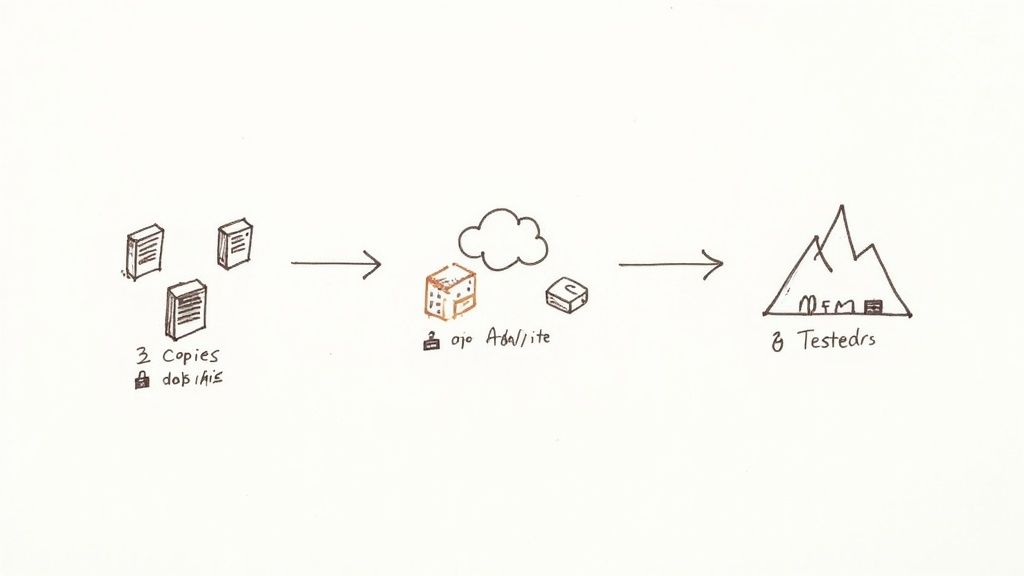
This is more than just running a nightly cron job. It's a complete strategy. You need to define what data is critical, how often it's backed up, where it's stored, and how long you keep it. The classic 3 2 1 rule (three copies, on two different media types, with one copy off site) is still golden. And when you're thinking about your virtualized environments, don't forget to look into the best virtual machine backup solutions out there.
How to Actually Do This:
- Follow the 3 2 1 Rule: This is your baseline. For example: one copy on your production database, a second on a local backup server, and a third in a geographically separate cloud bucket like AWS S3 Glacier.
- Test Your Restores: A backup you haven't tested is just a hope. Schedule regular restore drills. Document how long it took and what went wrong. This is the only way to know if you can actually meet your RTO and RPO.
- Encrypt Everything: Backups must be encrypted, both in transit and at rest. Don't cut corners here. For related security thoughts, check out our piece on simple Django website hosting solutions.
- Use Immutable Backups: To defend against ransomware that targets your backups, use immutable storage. Services like AWS S3 Object Lock can make your backup files unchangeable for a set period, even by an admin.
6. Have a Plan B Location: Alternate Site or Cloud DR
Here's a fun one: what if your entire data center or cloud availability zone goes offline? A fire, a fiber cut, a regional power outage. It happens. If your whole stack lives in one physical location, you have a huge single point of failure. The solution is an alternate processing site—a physically separate place to restore operations. This is a big ticket item on any serious disaster recovery planning checklist.
This secondary site is your lifeboat. For most modern companies, the cloud offers the best answer. Instead of building a whole new physical data center, you can use a different region in your cloud provider (like failing over from us-east-1 to us-west-2 in AWS). Using Infrastructure as Code, you can spin up a replica environment on demand. This is a core part of building a high availability architecture that actually works.
How to Actually Do This:
- Think Geographically: Your alternate site needs to be far enough away that it won't be hit by the same disaster. For cloud users, this means using a different region, not just a different availability zone.
- Use Cloud Native Tools: Services like Azure Site Recovery or AWS Elastic Disaster Recovery are built for this. They constantly replicate your systems to a low cost staging area in another region and automate the failover process.
- Automate Your Stack: Your Infrastructure as Code (Terraform, CloudFormation, etc.) is your best friend. Make sure your scripts can deploy your entire stack to the secondary region without manual tweaks.
- Watch Your Replication Lag: You must have monitoring in place to alert you if the data replication between your primary and secondary sites falls behind your RPO. A failover is useless if the data is hours out of date.
7. Control the Narrative: Communication and Notification Procedures
A perfect technical recovery means nothing if your customers, partners, and your own team are left in the dark. When things break, an information vacuum forms. If you don't fill it with clear, proactive communication, people will fill it with fear and anger. A formal communication plan is a vital part of your disaster recovery planning checklist. It's about managing expectations from the very first minute.
Good crisis communication turns chaos into a managed process. It tells stakeholders what they need to know, when they need to know it. Your plan should define who to notify, what to say, which channels to use, and how often to update. The message you send to your internal engineering team will be very different from the one you post on your public status page. Thinking this through beforehand prevents panicked, confusing messages that can do more damage than the outage itself.
How to Actually Do This:
- Write Templates Now: Don't try to craft the perfect public statement while the building is on fire. Prepare templates for different scenarios: the initial alert, progress updates, and the final resolution message. Get them approved by legal and PR ahead of time.
- Use Multiple Channels: What if your email system is part of the outage? You need a multi channel approach: SMS alerts, a dedicated status page (hosted on separate infrastructure), social media, and internal chat tools.
- Define Who Speaks: Clearly designate who is authorized to speak for the company. This usually includes a technical spokesperson (the incident commander) and a business spokesperson for media inquiries.
- Build Your Contact Lists: Maintain up to date contact lists for everyone: the DR committee, all employees, key customers, and critical vendors. Test these lists quarterly.
8. What About Your Vendors? Third Party Dependency Planning
Your system doesn't live on an island. It's a complex web of dependencies on third party services. Your cloud provider, payment gateway, monitoring tool, CRM—a failure at any one of them can become your disaster. A truly complete disaster recovery planning checklist has to look beyond your own code and account for your entire supply chain.
You can't just throw your hands up when a vendor goes down. You have to proactively manage that risk. This means understanding their recovery capabilities, knowing their SLAs by heart, and having a plan for when they fail. For example, if your whole business runs on a single payment processor, what happens when they have a multi hour outage? Maybe you need a secondary processor integrated and ready to go.
How to Actually Do This:
- Map Your Dependencies: Keep a detailed inventory of all your third party services. For each one, document how critical it is, what business function it serves, and who to call when it breaks.
- Read the Fine Print: Actually read your vendor contracts. What are their RTO and RPO guarantees? What are the penalties if they miss them? Push for stronger DR clauses during negotiations.
- Find a Backup: For your most critical vendors, research and identify alternatives. If possible, set up an account or even a partial integration with a backup provider before you need them. It's like doing technical due diligence on domain.com but for your partners.
- Create Workaround Playbooks: For services where a direct failover isn't an option, create documented workarounds. This might mean switching to a manual process or temporarily disabling a feature. Test these workarounds during your drills.
9. Practice Makes Perfect: Regular Testing and Tabletop Exercises
A disaster recovery plan that has never been tested is not a plan. It's a fantasy. The most important, and most often skipped, part of any disaster recovery planning checklist is testing. This is how you turn theory into muscle memory. It's how you find the flaws in your plan before a real crisis does.
Testing isn't just one thing. It's a spectrum. It can be a simple tabletop exercise where you talk through a scenario ("What if the whole AWS us east 1 region fails?") without touching a single server. Or it can be a full scale drill where you actually fail over your production environment to your secondary site. Each type of test reveals different weaknesses. A tabletop might show your communication plan is flawed, while a live drill might uncover a misconfigured firewall rule.
How to Actually Do This:
- Put It On the Calendar: Don't leave testing to chance. Schedule it. Aim for quarterly tabletop exercises, twice yearly partial failovers, and one full scale drill a year. Make this schedule public.
- Mix It Up: Don't just practice for one type of disaster. One quarter, simulate a database corruption. The next, a ransomware attack. Involve different team members each time to spread the knowledge.
- Measure Everything: Your tests should validate your RTO and RPO. Time how long it actually takes to restore service. Check the age of the data you recovered. Compare these real numbers to your goals.
- Hold Blameless Postmortems: After every test, successful or not, hold a postmortem. The goal isn't to blame anyone. It's to learn. What went well? What didn't? Create tickets to fix the problems you found.
10. Zoom Out: Business Continuity and Crisis Management
Let's pause and reflect. Your technical DR plan is solid. But what if the disaster isn't technical? What if your office is flooded, or a pandemic forces everyone to work from home? Your servers might be fine, but can your business still function? This is where a Business Continuity Plan (BCP) becomes a critical part of your disaster recovery planning checklist. It elevates your plan from a technical exercise to a full organizational resilience strategy.
The BCP is the big picture. Your DR plan is just one part of it. The BCP answers questions like: How do we still run payroll? Who makes key financial decisions if the CEO is unreachable? For a small startup, this might seem like overkill. But as you grow, the lack of answers to these questions can be just as deadly as a database failure.
How to Actually Do This:
- Integrate, Don't Isolate: Your DR plan should live inside your BCP. The triggers for activating the DR plan should line up with the crisis levels defined in your BCP.
- Plan for Non Tech Crises: Brainstorm responses for things other than IT failures. Pandemics, natural disasters, the sudden loss of a key executive—these are all real risks.
- Define Severity Levels: What's a minor incident versus a major crisis? For each level, document the required response, the chain of command, and the communication plan. This prevents hesitation when a real event hits.
- Consider Your Whole Supply Chain: Your business depends on vendors. Understand their BCPs and have backup plans if one of them goes down.
Disaster Recovery Planning: 10-Point Comparison
| Item | Implementation Complexity | Resource Requirements | Expected Outcomes | Ideal Use Cases | Key Advantages |
|---|---|---|---|---|---|
| Establish a Disaster Recovery Planning Committee | Medium — governance setup, role alignment | Moderate–high staff time, executive sponsor, meeting cadence | Centralized DR governance, coordinated planning | Large organizations, regulated sectors, cross departmental initiatives | Broad representation, accountability, improved coordination |
| Conduct a Business Impact Analysis (BIA) | High — data collection and analysis across functions | Significant time, cross department stakeholders, analytical tools | Prioritized processes, defined RTO/RPO, quantified impacts | Organizations needing prioritization, ROI justification, compliance | Data driven prioritization, clearer investment justification |
| Document Critical Systems and Data Assets | Medium–High — inventorying and dependency mapping | Technical expertise, discovery tools, ongoing maintenance | Complete asset inventory, dependency maps, ownership records | Dynamic IT environments, CMDB initiatives, audits | Prevents overlooked systems, speeds recovery, supports compliance |
| Develop Detailed Recovery Procedures and Runbooks | High — technical step by step procedures and validation | SMEs, test environments, documentation effort, version control | Repeatable recovery actions, reduced human error, faster RTO | Complex systems, on call teams, mission critical services | Consistent recoveries, reduced errors, faster team onboarding |
| Establish Data Backup and Recovery Strategy | Medium — policy design and tooling implementation | Storage costs, backup software, bandwidth, testing effort | Regular, testable backups, defined retention and restore processes | Any data centric org, compliance environments, ransomware risk | Protects against data loss, multiple restore options, compliance support |
| Create an Alternate Processing Site or Cloud DR Solution | High — infrastructure, replication and failover setup | High capital or subscription costs, replication tools, ongoing tests | Ability to continue operations at secondary site, rapid failover | Mission critical operations, regulatory DR requirements, large enterprises | Significantly reduced downtime, scalable redundancy, regulatory alignment |
| Establish Communication and Notification Procedures | Low–Medium — contact trees, templates, drill schedules | Communication platforms, maintenance, periodic testing/training | Timely stakeholder notifications, clearer messaging during incidents | Customer facing outages, regulatory notification needs, crises | Reduces confusion, maintains customer trust, structured escalation |
| Plan for Third Party and Vendor Dependencies | Medium — vendor assessments and SLA management | Vendor management resources, legal input, assessment tools | Identified vendor risks, contingency options, improved SLAs | Organizations with heavy vendor reliance or supply chain risk | Reduces blind spots, clarifies responsibilities, improves resilience |
| Conduct Regular Testing and Tabletop Exercises | Medium–High — test planning, execution and remediation | Time, test environments, participant commitment, possible costs | Validated plans, identified gaps, trained responders, measurable metrics | Compliance driven orgs, high risk systems, continuous improvement programs | Reveals weaknesses pre incident, improves readiness and confidence |
| Develop a Business Continuity and Crisis Management Plan | High — cross functional strategy and integration | Significant cross dept effort, executive engagement, training | Holistic continuity, decision frameworks, succession and recovery plans | Extended outages, non IT disruptions, enterprise risk management | Holistic resilience, covers non IT impacts, faster organizational recovery |
Your Turn to Build a Resilient System
We have journeyed a long way together, from the adrenaline spike of that 3 AM alert to the calm execution of a well rehearsed plan. This comprehensive disaster recovery planning checklist is more than just a to do list; it's a blueprint for building a resilient engineering culture. It's what turns panic into process. The difference between a minor blip and a catastrophic outage often comes down to the quiet preparation done months in advance.
Think of it this way: no one wants to get into a car crash, but we all wear seatbelts. Your disaster recovery plan is the seatbelt for your entire technical infrastructure. It's the unseen work that lets your team innovate fearlessly, knowing there's a safety net.
From Checklist to Culture
The real win here isn't creating a dusty document. It's embedding these principles into your team's daily work.
- Make it a Living Process: Your systems change every day, and your DR plan should too. Launching a new microservice? Part of the launch checklist should be adding its recovery runbook.
- Empower Your Team: Resilience is a team sport. Involve your engineers in creating runbooks and running drills. This creates a shared sense of ownership.
- Start Small, Build Momentum: This list can feel overwhelming. Don't try to do it all at once. Pick one thing. This week, just identify your top three critical systems. Next week, define their RTO and RPO. Small, consistent steps build unstoppable momentum.
The most profound shift happens when your team stops seeing disaster recovery as a chore and starts seeing it as a strategic advantage. A well prepared team recovers faster, learns more from failures, and builds incredible customer trust. The journey starts not with a massive project, but with the next small, deliberate action you take. What will yours be?
Building production grade systems that can withstand the unexpected is my specialty. If you are a founder or CTO looking to implement a robust disaster recovery planning checklist without sacrificing development velocity, let's connect. Kuldeep Pisda offers hands on consulting and technical mentorship to help early stage startups build scalable, resilient, and secure infrastructure from the ground up.
Subscribe to our newsletter.
Become a subscriber receive the latest updates in your inbox.
Member discussion