

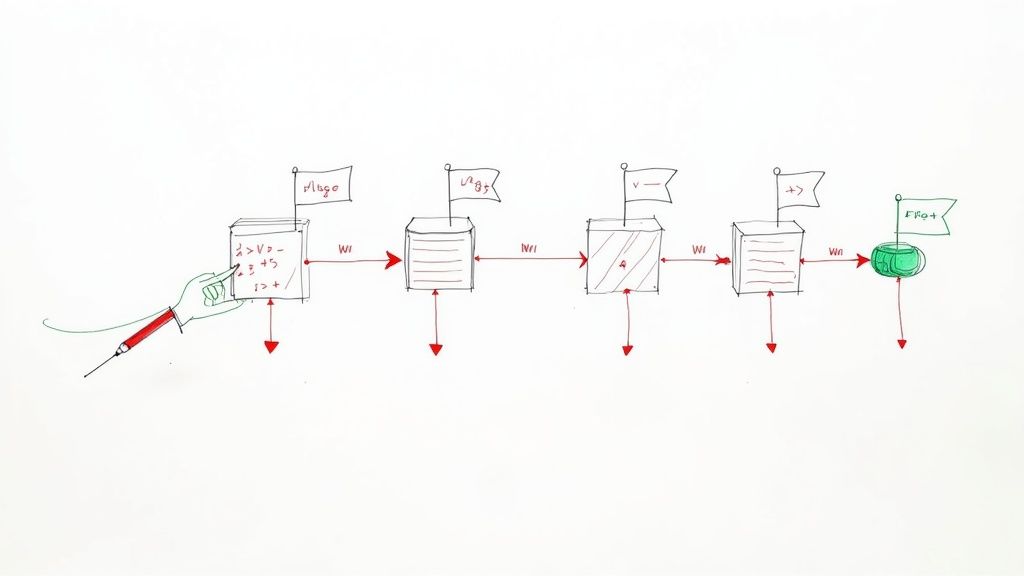
It was 11 PM on a Tuesday. The team was buzzing, ready to ship a massive overhaul of our checkout system. We'd dotted every 'i' and crossed every 't'. The code was clean, and every single test passed with flying colors. What could possibly go wrong?
We hit the deploy button.
Then, the alerts started. A trickle at first, then a flood. Latency was spiking. Error rates were shooting through the roof. An insidious bug, one that had slipped past all our careful staging environments, was now running wild in production. The war room assembled in an instant, fueled by stale coffee and that familiar, sinking feeling of dread.
We found ourselves facing that classic, terrible choice: push a risky hotfix under immense pressure, or execute a painfully slow rollback and lose all the new value we were so excited to ship.
Beyond the Rollback Panic
We chose the rollback. It was the safer play, but it felt like a total defeat. As the system finally stabilized and our heart rates returned to normal, the real question hit us: How do you ship ambitious features without risking everything?
That night was a stark reminder that even with the best testing in the world, production is its own beast. The traditional "deploy and pray" approach just doesn't scale with the complexity of modern software. This experience forced us to completely rethink our process. We needed a way to decouple deploying code from releasing a feature.
The solution wasn't more testing or slower releases. It was a simple but powerful concept that would fundamentally change how we build software: a digital kill switch. We needed a way to turn our new checkout system off in production with the click of a button.
This is the core problem that feature flags solve. They provide a safety net, transforming dangerous, all or nothing deployments into controlled, low stress releases. They are the foundation for a more resilient and agile engineering culture. When things go wrong—and they will—your response can be calm and immediate, not a frantic scramble. It's a key part of building a mature system. If you want to dig deeper into system resilience, our disaster recovery planning checklist offers a great starting point.
Choosing Your Feature Flagging Toolkit
After the adrenaline of a near disaster fades, the real question hits: how do we actually start using feature flags? You're at a fork in the road, with signposts pointing to "Build" and "Buy." This is the first major decision your team will make, and I've seen this debate play out more times than I can count.
The temptation to build an in house solution is strong. It feels empowering. "How hard can it be?" you think. "I'll just spin up a database table or use Redis to store some key value pairs." The initial appeal is obvious: total control and no recurring subscription fees.
But that "simple" DIY path is paved with hidden complexities that have a nasty habit of showing up at the worst possible moments. I once saw a team's homemade flag system bring down their entire app during a Black Friday sale because their Redis instance couldn't handle the load. They saved a few hundred dollars a month on a subscription but lost thousands in revenue in an hour.
The Unseen Costs of a DIY Solution
When you decide to build your own system, you're on the hook for everything. Suddenly, you're not just managing feature flags; you're the owner of an internal platform, with all the headaches that come with it.
Here's a taste of what that really means:
- Performance and Scalability: Your flagging system has to be ridiculously fast. A slow flag evaluation adds latency to every single user request. Can your DIY solution handle thousands of requests per second without breaking a sweat?
- A Usable UI: Sure, engineers are fine toggling flags in a database console. But what about your product managers? Or the marketing team? Building and maintaining an intuitive UI for them is a massive product development effort in its own right.
- State Management and Consistency: This is a classic distributed systems nightmare. You have to ensure that all your servers, spread across different regions, have the absolute latest flag rules. When a user gets an inconsistent experience because two servers have different flag states, you're in for some very confusing bugs.
- Auditing and Security: Who changed a flag? When? And why? Without a crystal clear audit log, a simple toggle can become an untraceable production incident.
This is exactly where third party platforms come in. Services like LaunchDarkly, Statsig, or the open source Unleash have already solved these hard problems. They provide battle tested SDKs, sophisticated dashboards, and enterprise grade features right out of the box.
The real cost of a DIY system isn't the initial build; it's the ongoing maintenance, the 3 AM support calls, and the massive opportunity cost of your engineers building an internal tool instead of your core product.
DIY vs Managed Feature Flag Platforms
So, how do you choose? It really boils down to your team's size, maturity, and where you want to focus your energy. A managed service lets you hit the ground running, while a DIY approach trades speed for complete control, at the cost of significant long term engineering effort.
Here's a look at the trade offs:
| Aspect | DIY (In House Solution) | Managed Platform (e.g., LaunchDarkly, Statsig) |
|---|---|---|
| Initial Cost | Low (engineering time only) | Subscription Fee (monthly/yearly) |
| Long Term Cost | High (maintenance, scaling, support) | Predictable (scales with usage) |
| Time to Value | Slow (requires design, build, test) | Fast (integrate an SDK in minutes) |
| Feature Set | Limited to what you build | Advanced (targeting, A/B testing, audit logs) |
| Support | You are the support team | Dedicated support, SLAs, documentation |
For most teams I've worked with, a managed platform is the pragmatic choice. The time saved and risks avoided almost always outweigh the subscription cost. When looking at tools, consider platforms like PostHog, which is an open source product analytics suite that also includes powerful, integrated feature flagging capabilities.
Let's pause here. Before we go deeper, this choice is foundational. Your journey into implementing feature flags effectively starts right here.
Implementing Your First Flag: A Backend Deep Dive
Talking about feature flags is one thing, but the real confidence comes when you see the code light up. It's time to move from theory to practice and get our hands dirty.
We're going to walk through a backend implementation using Django as our trusty framework. Don't worry if you're not a Pythonista; the principles here translate to just about any stack you can think of. Our goal is to translate the abstract idea of a flag into tangible, working code.
Integrating the SDK
First things first, we need a way for our application to talk to the feature flagging service. Whether you chose a managed platform or built a simple one yourself, the pattern is usually the same: you integrate an SDK.
Let's assume we're using a third party service. The initial setup is typically a breeze. In a Python project, it's as simple as:
pip install some-feature-flag-sdk
Next, you have to initialize the client. This is a one time setup that should happen when your application starts. In a Django project, a good spot for this is a dedicated configuration file, like apps.py in one of your core apps. You'll need your SDK key, which you can grab from your feature flag provider's dashboard.
# your_app/services.py
import some_feature_flag_sdk

# This key should come from your environment variables, NEVER hardcoded.
SDK_KEY = "your-server-side-sdk-key"

# Initialize the client. This object will be a singleton.
flag_client = some_feature_flag_sdk.Client(sdk_key=SDK_KEY)
This flag_client object is now our gateway to every feature flag we create. Behind the scenes, it's handling the heavy lifting—fetching the latest flag rules, caching them locally for performance, and giving us the tools to check them for our users.
Wrapping a New Feature
Now for the fun part. Let's say we're working on a new, optimized version of an API endpoint. We have the old, stable logic and the shiny new logic, but we're not ready to send all our traffic to the new version just yet. This is a textbook use case for a feature flag.
Imagine a view that returns user profile data. The old version might make three separate database queries, while the new one uses some clever joins to do it in one.
# your_app/views.py
from .services import flag_client

def get_user_profile(request, user_id):
    # Here's the magic. We evaluate the flag.
    user_context = {"key": str(user_id), "email": request.user.email}

    if flag_client.is_enabled("use-optimized-profile-endpoint", context=user_context):
        # New, optimized code path
        data = get_profile_data_v2(user_id)
    else:
        # Old, stable code path
        data = get_profile_data_v1(user_id)

    return JsonResponse(data)
Look how clean that is. The core logic of the view boils down to a simple conditional. Notice the user_context object. This is how we pass user specific attributes to the flagging service. This context is what unlocks powerful targeting rules, like "only enable this for beta testers" or "roll this out to 10% of users in Germany." If you're building APIs, learning about these kinds of pragmatic best practices for REST API design is essential for creating robust systems.
Building in Resilience
A production grade system never assumes its dependencies are perfect. What happens if your feature flagging service goes down? A naive implementation could bring your entire application down with it.
Thankfully, most mature SDKs have this built in. During initialization, you can—and should—specify default values.
# your_app/services.py
# ...

# The 'defaults' parameter tells the client what to do if it fails to fetch rules.
flag_client = some_feature_flag_sdk.Client(
    sdk_key=SDK_KEY,
    defaults={"use-optimized-profile-endpoint": False}
)
By setting the default for our new feature to False, we ensure that if anything goes wrong, our application gracefully falls back to the old, stable code path. The user experience is unaffected, and our system remains resilient.
This is not optional; it's a requirement for using feature flags safely in production. You're defining a "safe mode" for your application. This simple configuration is often the difference between a minor hiccup and a full blown outage.
Bringing Flags to the Frontend with Next.js
Our backend is now resilient and flag aware, but that's only half the story. A feature often spans the entire stack, and the real magic happens when the user interface dynamically responds to these flags. How do we get that clean, conditional logic we built in Django to translate into a seamless user experience in a modern frontend like Next.js?
I've seen teams stumble here, introducing UI flicker or inconsistent states that leave users confused. The goal is to make the frontend's knowledge of feature flags feel instant and reliable, as if it were a native part of the application's state. We need a solid bridge between the server's source of truth and the client's presentation layer.
Passing Flags from Server to Client
The first problem to solve is actually getting the flag data from our backend to the user's browser. The key is to avoid making the client wait on a separate, slow network request just to figure out what to render. Nobody likes a jumpy UI.
My preferred method for this is using Server Side Rendering (SSR) props. In a framework like Next.js, you can evaluate flags on the server inside getServerSideProps. You then simply pass the results down to your page component as props. This is fantastic because the flags are available on the very first render, completely eliminating any chance of UI flicker.
Creating a Global Flag Context
Passing flags down as props works, but it quickly becomes a tangled mess. You don't want to be drilling props through dozens of components. This is a classic state management problem, and React's Context API is the perfect tool for the job.
We can create a FeatureFlagContext that holds all the flag values and makes them accessible to any component in our application tree with a simple hook.
Let's build a simple provider.
// contexts/FeatureFlagContext.js
import { createContext, useContext } from 'react';

const FeatureFlagContext = createContext({});

export const FeatureFlagProvider = ({ flags, children }) => {
  return (

      {children}

  );
};

export const useFeatureFlag = (flagName) => {
  const flags = useContext(FeatureFlagContext);
  return flags[flagName] ?? false; // Default to false for safety
};
This tiny file gives us an incredibly powerful pattern. We just wrap our entire application in FeatureFlagProvider, passing in the initial set of flags.
Conditionally Rendering a Component
With the context in place, using the flags becomes almost trivial. Imagine we have a new dashboard component we want to roll out.
First, we fetch the flags on the server and provide them to our app.
// pages/dashboard.js
import { FeatureFlagProvider } from '../contexts/FeatureFlagContext';
import { flagClient } from '../services/flags'; // Our backend flag client

export async function getServerSideProps(context) {
  // Assuming user info is available on the request object
  const user = { key: context.req.user.id };
  const allFlags = await flagClient.getAllFlags(user);

  return {
    props: { flags: allFlags },
  };
}

export default function DashboardPage({ flags, ...pageProps }) {
  return (


  );
}
Now, inside any child component of Dashboard, we can conditionally render our new UI element without any prop drilling.
// components/NewAnalyticsWidget.js
import { useFeatureFlag } from '../contexts/FeatureFlagContext';

const NewAnalyticsWidget = () => {
  const showNewWidget = useFeatureFlag('show-new-analytics-widget');

  if (!showNewWidget) {
    return null; // The feature is off, so we render nothing.
  }

  return (

      ✨ Our Shiny New Analytics ✨
      {/* ... widget content ... */}

  );
};
This is the heart of how to implement feature flags on the frontend. The logic is declarative, clean, and directly tied to the flag's state. There's no flicker because the decision is made on the server before any HTML is ever sent to the browser.
By combining server side rendering with a React Context, you create a robust system where the UI is always in sync with the feature flag state from the moment the page loads. If you're looking to build out complex applications, exploring Next.js development services for real business growth can provide a deeper understanding of how these pieces fit together at scale.
Mastering Your Rollout Strategy
A simple on/off switch is just the beginning. The real power of feature flags comes from precisely controlling who sees a new feature and when. This is the point where your team graduates from simply preventing disasters to actively shaping the user experience.
Let's move beyond the basic toggle and explore the advanced rollout strategies that separate the pros from the novices.
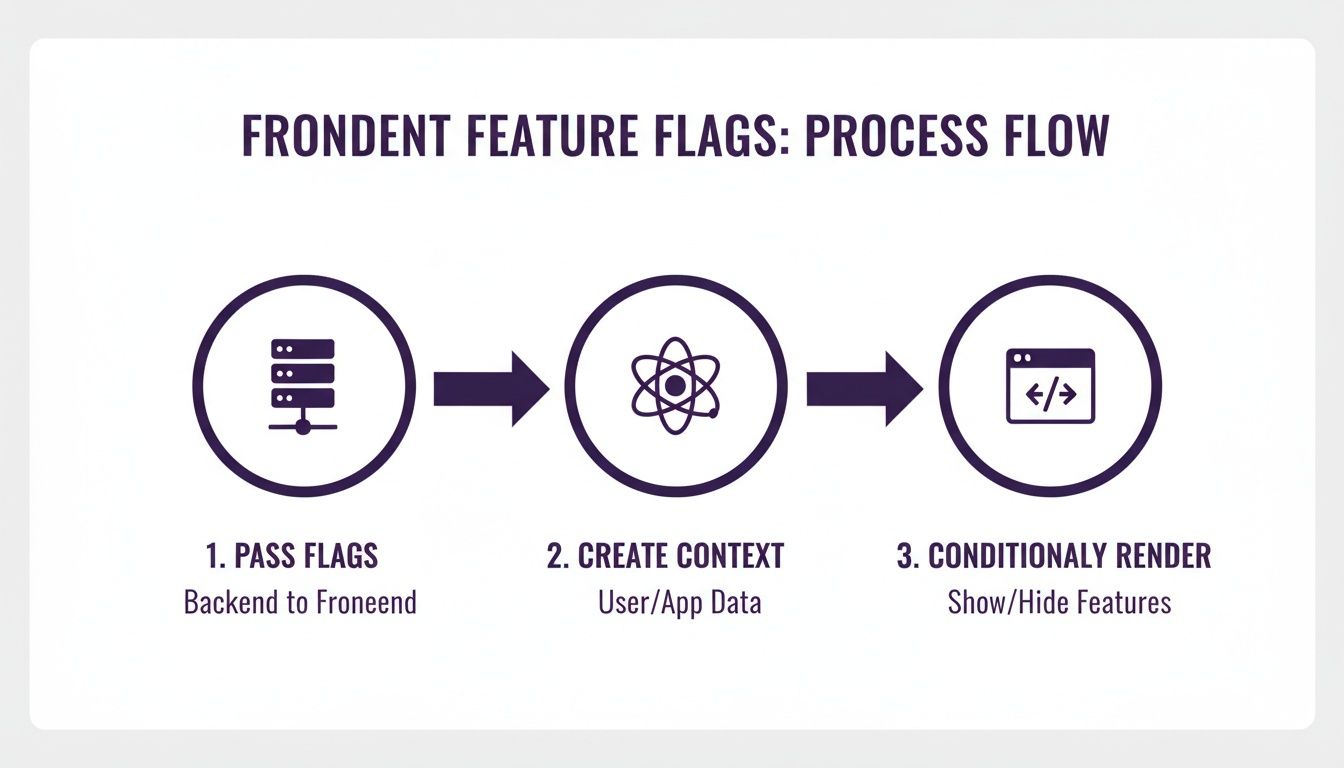
This flow visualizes how a controlled, server side decision translates into a seamless client side experience, setting the stage for more sophisticated rollouts.
Canary Releases: Finding Bugs Before They Find You
One of the most powerful strategies is the canary release. Instead of flipping the switch for 100% of your users and hoping for the best, you can roll it out to a tiny fraction—say, 1% or 5%.
This small group acts as your "canary in the coal mine." You can closely monitor error rates and performance metrics from this segment. If something goes wrong, the blast radius is incredibly small. You can instantly roll the feature back for that tiny group without affecting everyone else. It's a fundamental practice that aligns perfectly with modern development workflows. You can explore more of these ideas in our guide on 10 continuous integration best practices that won't make you cry.
Targeted Rollouts: Delivering Features to the Right People
Targeted rollouts take this a step further. Instead of a random percentage, you can enable features for specific user segments. This is where the user_context we discussed earlier becomes incredibly powerful.
You can create rules that are as simple or complex as you need.
- Internal Testing: Enable a new feature only for users with a
@yourcompany.comemail address for internal dogfooding. - Beta Programs: Grant access to users who have a
beta_tester: trueattribute in their profile. - Subscription Tiers: Roll out a new payment processor exclusively to users on your "Pro" plan.
- Geographic Targeting: Test a new shipping integration for customers located only in the "United States."
By targeting specific user groups, you move from releasing features into the void to conducting controlled experiments.
Driving Decisions With A/B Testing
Feature flags are also the engine for A/B testing. You can create a multivariate flag that assigns users to different groups, like 'A', 'B', or 'C'. Each group can be shown a different version of a feature, such as a different headline or a new button color.
This is absolutely essential for making data driven product decisions. With tools like Split.io, you can get statistical proof of a feature's impact. For example, PostHog saw up to 68% in compute savings in their 2025 upgrades by using flags for this kind of optimization.
Mastering these rollout strategies also directly impacts key DORA metrics and offers practical strategies to reduce software development costs. You're not just shipping safer code; you're building a smarter engineering organization.
Painful Lessons from the Feature Flag Trenches
Look, if you think implementing feature flags is a one and done project, I've got some bad news. It's a journey, and like any good journey, it's filled with face palm moments and hard won wisdom—usually learned during a stressful production fire. I've been there.
These are the lessons I wish someone had tattooed on my arm when I started.
Flag Debt is Real, and It Will Bite You
One of the most insidious problems you'll run into is flag debt. It starts innocently. You create a flag for a release, the launch goes great, and the team immediately pivots to the next emergency. That flag? It just sits there, permanently true, a silent relic in your codebase.
Fast forward six months, and your code is a maze of dead if/else branches. Your dashboard is a chaotic graveyard of flags nobody can remember. This isn't just messy; it's a ticking time bomb. An old, forgotten flag could be flipped by accident, reintroducing a bug you squashed years ago.
The Cleanup Imperative
To fight flag debt, you need a cleanup process. Make it non negotiable.
- Temporary Flags: Every temporary flag must have a cleanup ticket. Once the feature is fully rolled out, that ticket gets pulled into the very next sprint. No exceptions.
- Establish a Lifecycle: Define clear states for your flags like
active,inactive, andready_for_cleanup. This makes the status of any flag obvious at a glance.
Test Both Paths, Or Prepare for Pain
Here's another one that sounds obvious but gets missed all the time: you have to test all code paths. Teams get laser focused on the shiny new feature (the if block) and completely forget to test what happens when the flag is off (the else block).
I once burned hours debugging a critical failure in production. The bizarre part? It was in a feature we'd already "shipped." The bug only surfaced when a totally unrelated flag was turned off, which subtly changed the execution context and broke the old code path we assumed was stable. We had tested the new path to death, but the fallback was a ghost.
A feature isn't just the code that runs when the flag is on. It's the entire conditional block and the system's behavior in both states. Neglecting one side is a recipe for a surprise outage.
This is where flags show their true power when used correctly. Recent industry studies have shown that teams properly implementing feature flags reduce deployment related incidents by a staggering 89%. They are a cornerstone of modern, safe software releases. You can find more insights by exploring the full research on feature flag best practices.
Got Questions About Feature Flags?
Once teams start actually using feature flags, the same practical questions always pop up. These are the nitty gritty details that high level guides tend to skip over. Let's dig into the most common ones I run into.
How Do You Manage Old Feature Flags?
This is a big one. Without a plan, you'll drown in "flag debt."
The best defense is a good offense: establish a clear lifecycle policy from day one. When you create a temporary flag for a new release, you should immediately create a cleanup ticket for it at the same time. Once that feature is fully rolled out and you're confident it's stable, that cleanup ticket gets pulled into the very next sprint. No excuses.
Many managed services like LaunchDarkly or Flagsmith also have built in tools to help with this. They can automatically identify stale flags that haven't been touched in a while, making your housekeeping a whole lot easier.
What Is the Performance Impact?
I get this question a lot, and the answer is almost always: negligible.
Modern feature flagging SDKs are built for serious speed. Flag evaluations happen in memory and are incredibly fast—we're talking microseconds. The direct impact on your application's request time is virtually zero.
The key is to use a reliable service with a well designed SDK that includes local fallbacks. This is your safety net. It ensures that even if the flagging service itself has a hiccup or goes down, your app's performance won't be affected because it will just gracefully use the default values you've set.
Can Flags Be Used for More Than New Features?
Absolutely. Thinking of flags as just on/off switches for new features is selling them short. Their real power lies in their versatility.
Engineers constantly use flags as "kill switches." If a new component is causing chaos in production, you can instantly disable it with a single click—no frantic redeploy needed.
They're also fantastic for operational control. Think about things like:
- Adjusting log verbosity on the fly to debug a tricky issue in production.
- Changing system configurations without a restart.
- Managing complex infrastructure migrations by slowly and safely routing traffic from an old system to a new one.
This gives you total, granular control over your production environment in a way that just isn't possible otherwise.
Subscribe to our newsletter.
Become a subscriber receive the latest updates in your inbox.

Member discussion