

"The documentation is in the code." I can't count how many times I've heard this, usually from a well meaning senior engineer right before I spend the next three days spelunking through a codebase just to figure out what a single microservice is supposed to do.
Let's be honest with each other. Most software architecture documentation is a ghost. It's a pale, outdated echo of a system that once existed, haunting your Confluence space or a forgotten Google Drive folder. You follow the README, and it breaks. You look at a diagram, and it shows services that were decommissioned a year ago.
I once spent an entire afternoon debugging an issue because the documentation confidently stated a service used RabbitMQ. After hours of pulling my hair out, I discovered it had been migrated to Redis six months prior. The change was never written down.
This isn't just frustrating; it's a silent killer of productivity. This guide is my attempt to fix that. We're going to stop treating documentation as a chore and start treating it as a strategic superpower, a living system that makes your team faster, smarter, and less likely to ship bugs.

From Annoying Chore to Strategic Superpower
For too long, we've seen documentation as the homework we have to do after the fun part is over. It's that final step you rush through before a release or, more likely, skip entirely until a new engineer joins and the questions start flying. This way of thinking is fundamentally broken, and it costs you dearly.
Good software architecture documentation isn't a bureaucratic burden; it's a massive strategic advantage. When it's actually useful, it provides the kind of clarity that:
- Speeds up onboarding by giving new hires a map of the system from day one, not a series of riddles.
- Reduces cognitive load on your senior engineers, freeing them from being the single source of truth for everything.
- Enables better decisions by showing the context behind past architectural choices. No more asking, "Why on earth did we do it this way?"
- Improves collaboration between teams who might be touching different corners of a complex system.
The real challenge isn't creating documentation. It's creating a culture where it's continuously valued, updated, and actually used. It's about shifting from thinking of docs as a static artifact to a dynamic conversation with your system.
A Modern Approach for Modern Stacks
This is especially critical when you're navigating a modern stack with Django, microservices, and various GenAI patterns. The sheer complexity of distributed systems, combined with the often opaque nature of AI models, makes clear documentation an absolute necessity. Without it, you're flying blind.
Let's pause here. Before we go deeper, here's what you should have in mind: we are not aiming for a perfect, thousand page manual. The goal is to build a useful, trustworthy knowledge base that evolves with your code and empowers your team to build better software, faster. This guide is the journey from that documentation graveyard to a living, breathing asset.
Why Your Documentation Ends Up Obsolete
Let's be real. We've all been burned by documentation that lies.
You clone a repo, follow the README to set up your local environment, and spend the next three hours wrestling with errors only to discover the instructions are for a version of the code that hasn't been touched in two years. This is the central problem: a creeping gap between what's written down and what's actually running in production. This disconnect isn't just a minor annoyance; it's a silent killer of productivity.
When software architecture documentation is treated as a one off task—something you scramble to assemble during a design sprint and then promptly forget—it's not just useless. It's actively harmful. It gives your team a false sense of confidence while leading them down the wrong path.
The Slow Creep of Inaccuracy
Nobody starts out wanting to create obsolete docs. It happens gradually, a death by a thousand small, unrecorded changes. A developer adds a new API endpoint but forgets to update the OpenAPI spec. The team decides in a stand up to switch a message queue from RabbitMQ to Redis, but the architecture diagram never gets the memo.
Each unrecorded change is a tiny crack in the foundation of trust. Over time, these cracks widen until the entire structure crumbles. Eventually, developers stop consulting the docs altogether because they've learned they can't be trusted. The wiki becomes a digital graveyard, a place where good intentions go to die.
This isn't a rare problem. A recent survey of tech leaders painted a stark picture: 93% experienced negative business outcomes because the software running in production didn't match what was documented.
The fallout from this misalignment is painfully real and hits where it hurts:
- Frustrating Delivery Delays: Teams waste precious time reverse engineering how things actually work instead of building new features.
- Serious Security Vulnerabilities: That forgotten, undocumented service endpoint? It's often an open door for attackers.
- Painful Onboarding: New hires get stuck in a loop of confusion when the map you give them doesn't match the territory.
The most dangerous documentation isn't the missing page; it's the one that's confidently wrong. It actively misleads your team and erodes the very trust it was meant to build.
Moving From Static Artifact to Living System
The root cause here is a flawed mental model. For too long, we've treated documentation like a static snapshot, a photograph taken at the start of a long journey. But software isn't static; it's a living, breathing system that evolves every single day. Our approach to documenting it has to be just as dynamic.
This means we need to shift our thinking from "writing documents" to "building a knowledge system."
This system can't be an afterthought bolted on at the end. It needs to be woven directly into our daily workflows. An update to the architecture docs should be as natural a part of a pull request as writing unit tests. This mindset is also crucial for long term planning, a concept we dive into in our guide on creating a technical roadmap template that actually works.
The goal isn't just to describe the system's past but to provide a reliable, trustworthy guide for its future. This sets the stage for a new approach—one that treats documentation as a strategic asset, not a chore.
Your Modern Documentation Toolkit
So, what should you actually create? If the old way of producing thousand page manuals is broken, what takes its place? The answer isn't "no documentation," but a lean, modern suite of documents that people will actually read and use.
Forget the monolithic tomes. Think of your software architecture documentation as a small, curated collection of maps and guides for different journeys through your system. Each piece has a clear job and a specific audience.
To make this concrete, let's walk through the essentials using a hypothetical example: a startup building a platform with Django microservices and a new GenAI component for summarizing user feedback. We started with a problem: "How do we build this without creating a tangled mess?" We explored options, and this is where we landed.
The C4 Model: Your Architectural GPS
I once spent a week trying to understand a new system by digging through code, only to realize I was completely missing the forest for the trees. I had no idea how our service connected to the payment gateway or which other internal teams depended on our data. This is exactly the problem the C4 model solves, and it's a lifesaver.
It's a simple but brilliant way to visualize your software architecture at different levels of zoom, kind of like Google Maps for your code. It gives you four distinct views:
- Level 1: System Context: This is the 10,000 foot view. It shows your system as a single black box and how it interacts with users and other external systems. For our startup, this diagram would show our Django platform, the end user, and its connections to a third party authentication provider and a large language model API. Simple.
- Level 2: Containers: Here, you zoom into your system box to see the major deployable units or services inside. This would reveal our main Django web application, a separate Celery worker service for background jobs, a PostgreSQL database, and our new GenAI microservice.
- Level 3: Components: Zooming in further on one of those containers, you see the key components or modules inside. If we looked at our GenAI service, we might see a
FeedbackIngestionController, aSummarizationEngine, and aDataStoreConnector. - Level 4: Code: This level is meant to show the actual code implementation of a component. C4 creator Simon Brown often says you should rarely need this level—your code should be clean enough to speak for itself.
Starting with C4 gives everyone on the team a shared vocabulary and a clear map of the territory before they get lost in the details.
Architectural Decision Records: The "Why" Behind The "What"
Have you ever stared at a piece of code and just thought, "Why on earth did they do it this way?" That's the exact question Architectural Decision Records (ADRs) are designed to answer.
An ADR is just a short, simple text file that captures a single, important architectural decision. It's a concise record of the context, the options you considered, and the final decision with its consequences.
An ADR is like the commit message for your architecture. It documents the critical 'why' behind your design choices, preserving the reasoning that is so often lost over time.
For our GenAI service, we might create an ADR for a decision like "Choose a vector database for RAG embeddings." The ADR would quickly outline:
- Context: We need a way to store and efficiently query text embeddings for our Retrieval Augmented Generation feature.
- Decision: We chose to use PostgreSQL with the
pgvectorextension. - Consequences: This avoids adding a new database technology to our stack, which is a big win. However, we'll need to keep a close eye on query performance as the dataset grows.
These records become an invaluable historical log. They stop teams from repeating past mistakes and help new engineers understand the trade offs that shaped the system they're working on.
Essential Diagrams for Day to Day Clarity
Beyond C4 and ADRs, a few other diagrams are incredibly useful for communicating specific parts of your architecture. To help you keep track, here's a quick rundown of the essential documents, what they're for, and who needs them most.
Key Documentation Artifacts and Their Purpose
| Artifact Type | Primary Purpose | Key Audience |
|---|---|---|
| C4 Diagrams | Visualizing the system at different levels of abstraction. | All engineers, PMs, new hires. |
| ADRs | Recording the why behind important architectural choices. | Architects, senior engineers, future teams. |
| Sequence Diagrams | Showing how components interact over time for a specific use case. | Developers implementing a new feature. |
| Data Flow Diagrams | Illustrating how data moves through the system. | Security engineers, data engineers. |
This table acts as a simple cheat sheet. When someone asks a question, you can point them to the right map.
For our Django application, a sequence diagram showing the API call to summarize feedback would be immensely helpful. It would trace the request from the web app to the GenAI microservice, the subsequent call to the external LLM, and the final response. This level of detail is critical for developers, and you can explore our guide on API documentation best practices for 2025 to see how to document these interactions effectively.
These artifacts don't exist in a vacuum. They form a linked web of knowledge. A C4 diagram gives you the map, sequence diagrams show you the routes, and ADRs explain why the roads were built that way in the first place.
Keeping Your Documentation Alive and Useful
You've done it. You've created the initial set of architecture documents, and it feels great. But here's the catch: a map is only useful if it actually reflects the territory.
The single biggest challenge isn't creating documentation; it's stopping the slow, silent decay that turns a helpful guide into a misleading relic. This is where so many teams fall down. They treat documentation as a one off project. Once it's "done," they move on, and the gap between the docs and reality starts to widen with every single pull request.
The secret to avoiding this fate? Stop thinking of documentation as a separate, annoying chore. Start treating it as an integral part of your code.
Embrace the Docs as Code Philosophy
The most effective way I've found to fight documentation rot is the docs as code philosophy. The core idea is simple but incredibly powerful: your software architecture documentation should live in the same repository as your source code.
This isn't just about where you store the files. It's about fundamentally changing the process. By keeping docs and code together, you can apply the exact same tools and workflows your team already uses for code every single day.
- Versioning with Git: Every change to your documentation is tracked, just like a code change. You get a full history of who changed what, when, and, most importantly, why.
- Peer Review via Pull Requests: When a developer refactors a service or changes an API, the documentation update for that change is included in the same pull request. This is critical. It means the same people reviewing the code are also verifying that the documentation is accurate.
- Automated Checks: You can even hook into your CI pipeline to run simple checks, like linting your Markdown files or ensuring diagrams have been updated.
This approach elevates documentation from an afterthought to a first class citizen in your development process. It's no longer something you'll "get to later"; it's a required part of shipping a feature.
This diagram shows a typical workflow that brings these modern practices together, connecting high level models to detailed decision records and the diagrams they generate.
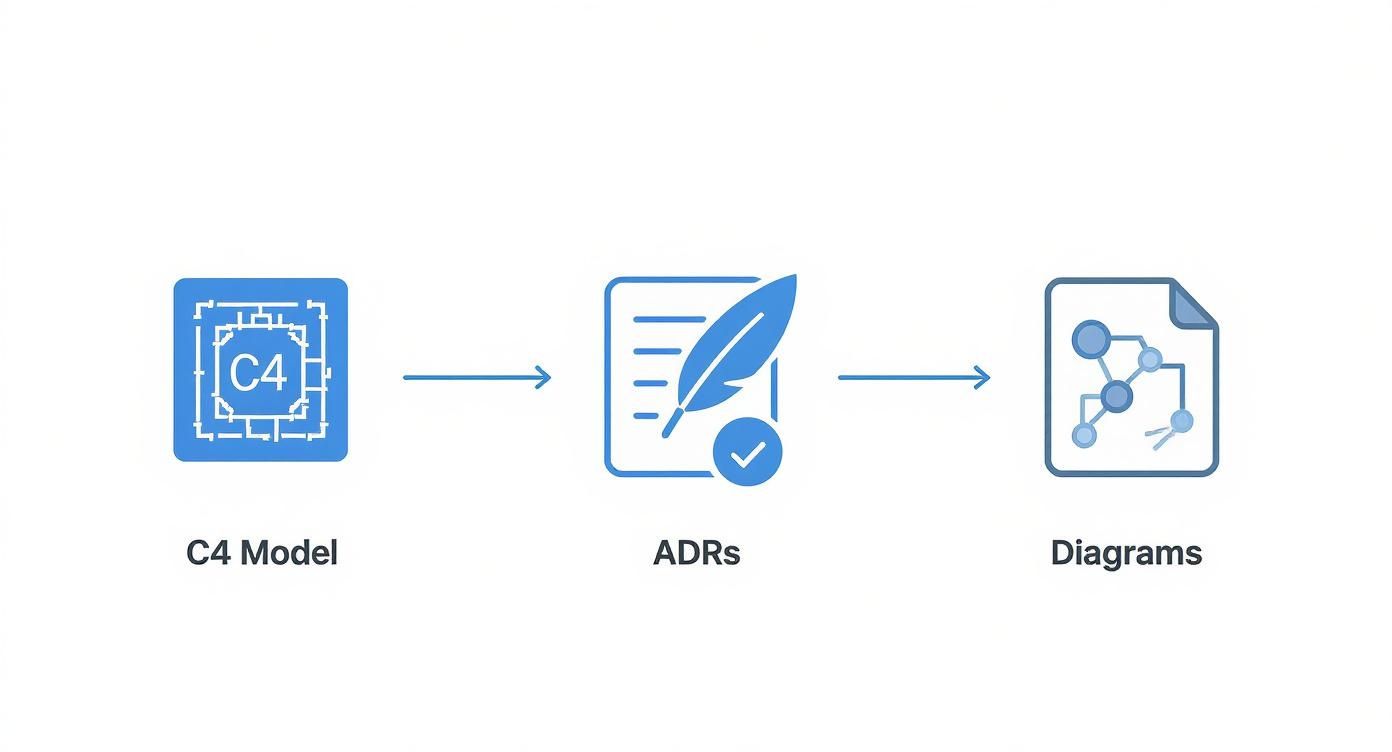
You can see how foundational blueprints like the C4 Model and decision records (ADRs) directly feed into the creation of specific diagrams, keeping everything tightly connected and current.
Choosing Your Tooling Wisely
Adopting docs as code requires the right tools, but the good news is you don't need a heavy, complicated system. You can start simple. The best tool is always the one your team will actually use without complaining.
For most teams, a lightweight, text based approach is the perfect starting point.
- Markdown: It's the lingua franca of developer documentation for a reason. It's clean, simple, and supported literally everywhere. Your C4 context files and ADRs can be written directly in
.mdfiles. - Mermaid.js: This tool is a game changer. It lets you generate complex diagrams—like sequence diagrams or C4 component diagrams—from a simple, text based syntax right inside a Markdown file. This means your diagrams are now version controlled and can be reviewed in a pull request just like text. No more exporting images from a separate tool!
For larger teams or those in complex enterprise environments who need more automation, a tool like Structurizr might be a better fit. It allows you to define your architecture in actual code using a client library, which then generates all the diagrams and views for you. This creates a powerful single source of truth that simply can't drift from the implementation.
The goal isn't to find the tool with the most bells and whistles. The goal is to find the tool with the lowest friction for your team. If updating a diagram requires an engineer to leave their IDE, open a separate app, fiddle with arrows, and export an image, it's just not going to happen.
Pitfalls and Lessons Learned
One thing I've learned the hard way is that even with the best tools, you need to build habits. A common pitfall is inconsistency. To make sure your architecture documentation stays findable and useful for years, applying effective file naming conventions is non negotiable.
Think about how you'd structure docs to support different needs. For instance, in a system using Retrieval Augmented Generation (RAG) patterns, you'd likely have specific ADRs detailing the choice of vector database. We dive deep into this topic in our guide on how Retrieval Augmented Generation is the secret sauce for smarter AI, where accurate, up to date documentation of data pipelines is absolutely critical.
Ultimately, keeping your documentation alive comes down to a single principle: treat it with the same respect you treat your code.
Documentation as a Team Superpower
Let's shift gears and talk about the real world impact. Solid software architecture documentation isn't about checking boxes for some compliance audit; it's about giving your team a genuine superpower. It's the shared brain that finally lets your senior developers stop being walking encyclopedias so they can focus on solving the next big problem.
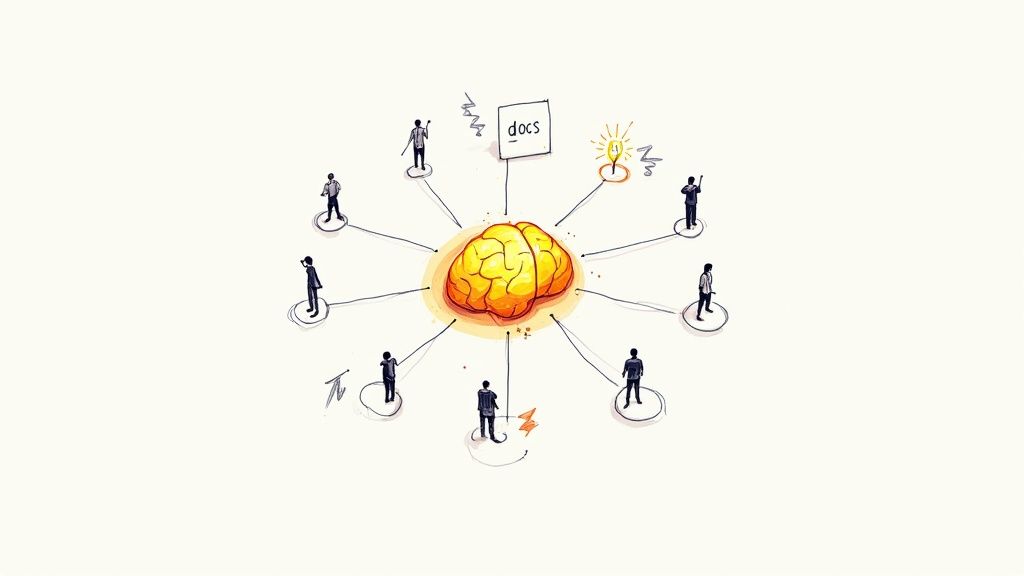
Ultimately, this whole discipline isn't about adding bureaucracy. It's about injecting pure productivity into your team, fostering alignment, and building systems that are more resilient and, frankly, just easier to understand.
Fueling the Future of Development
The need for clear, living documentation is getting even more intense with the rise of AI coding assistants and the beautiful chaos of microservice deployments. I've seen this firsthand. An AI assistant is only as good as the context you feed it, and accurate architecture docs are premium grade fuel for these tools.
When an AI can actually grasp your system's context, component boundaries, and the "why" behind key decisions, its suggestions transform from generic boilerplate into genuinely insightful code.
This context is also vital as we head into 2025. As architects lean more heavily into distributed systems and microservices, having accessible documentation becomes non negotiable for managing complexity. Of course, the only way to unlock this potential is through effective document collaboration. When everyone on the team feels ownership, the knowledge base becomes richer and more reliable.
Your documentation isn't just for humans anymore. It's becoming the primary context layer for the AI tools that will help build, debug, and evolve your systems. Bad docs will lead to bad AI suggestions, full stop.
Key Takeaways
Let's summarize the journey we've taken:
- Embrace the Problem: Acknowledge that most documentation fails because it's treated as a static, one off task. It becomes outdated and erodes trust.
- Adopt a Modern Toolkit: Use the C4 Model for maps, ADRs for the "why," and sequence diagrams for specific interactions. Keep it lean and useful.
- Treat Docs as Code: Store your documentation in Git alongside your source code. Review changes in pull requests to keep it alive and accurate.
- Choose Low Friction Tools: Use Markdown and text based diagramming tools like Mermaid.js to make updating docs a natural part of the developer workflow.
- It's a Team Sport: Documentation is everyone's responsibility. The person making the code change updates the corresponding docs.
I once worked on a project where two teams spent a full week building features that were completely incompatible, all because of a misunderstanding about a single API endpoint. A simple sequence diagram would have saved 80 hours of developer time. That's the real, tangible cost of bad documentation. If you're deep in the world of microservices, you know exactly what I mean. For more on this, check out our guide on the top 9 microservices architecture best practices for 2025.
By treating your docs as a strategic asset, you're not just creating files in a repository. You're building a more agile, effective, and empowered engineering team.
Common Questions About Documentation
As teams start to get serious about their software architecture documentation, a few familiar questions always pop up. I've heard them countless times. Let's tackle them head on.
How Much Documentation Is Enough?
The real answer? There isn't one. The goal is to create just enough documentation to be useful without becoming a huge, soul crushing burden.
Start with the highest value artifacts first. A simple C4 System Context diagram and a few ADRs for your most critical architectural decisions can provide immense value right away.
A good rule of thumb is to focus on documenting things that are stable, complex, or have a significant cross team impact. Avoid getting bogged down documenting volatile implementation details that will be outdated by the next sprint.
Who Is Responsible for Maintaining the Docs?
The short answer? Everyone.
The slightly longer, more practical answer? The person making the change is responsible for updating the documentation in the same pull request.
While a tech lead might set the standards, documentation has to be a collective responsibility, just like writing tests. This "you touch it, you own it" policy is the only scalable way to keep documentation accurate.
What Are the Best Tools to Use?
The "best" answer is simply the one your team will actually, consistently use. Friction is the enemy of good habits. For teams embracing the docs as code philosophy, a simple combination is incredibly powerful:
- Markdown for all text based documents like ADRs.
- A text based diagramming tool like Mermaid.js embedded directly in your Markdown files.
- Git for version control and peer review through pull requests.
This setup keeps developers in their familiar environment. For teams that prefer a more visual, GUI based approach, tools like Structurizr or Miro can work, but they demand a very strict process for reviews to prevent drift.
How Do We Start If We Have No Documentation?
If you're starting from zero, the prospect can feel overwhelming. I get it. The key is to resist the urge to document everything at once. Don't try to boil the ocean.
Start small and focus on creating immediate value. Here are two fantastic starting points:
- Create a C4 Level 1 (System Context) diagram. This is usually a quick win that provides a massive amount of clarity.
- Write one or two ADRs for recent, important decisions. This captures critical context while the details are still fresh.
Another fantastic approach is to document the onboarding path for a new developer. What are the absolute essential things they need to understand in their first week? Document that. You'll build momentum and create something genuinely useful from day one.
Ready to build a technical foundation that scales with your startup's ambition? At Kuldeep Pisda, I help early stage companies accelerate their roadmaps and deliver robust, maintainable systems. Let's discuss how thoughtful architecture and pragmatic execution can give your product the edge it needs. Learn more about my consulting services.
Subscribe to our newsletter.
Become a subscriber receive the latest updates in your inbox.
Member discussion