


We have all been there. You push a feature, the CI pipeline lights up green, and you move on, only to find a frantic message hours later about a regression in production. That momentary confidence shatters, replaced by a sinking feeling. It's a common story in fast moving startups and scale ups, where the pressure to ship often turns test suites into a fragile, high maintenance burden. The problem is not a lack of tests, but a lack of strategy. Flaky tests and unexpected breaks are often symptoms of deeper issues, where the cost of maintaining the test suite starts to outweigh its benefits.
This cycle of build, break, and fix is a classic sign of unresolved issues piling up in the codebase. Ignoring this is like trying to build a skyscraper on a shaky foundation; eventually, something will give. Effective software development requires a conscious effort in prioritizing technical debt, which is often the root cause of these testing pains.
This article is not just another generic list. It's a journey through the trenches, exploring the test automation best practices that separate brittle tests from resilient, confidence building quality gates. We will move beyond the 'why' and dive straight into the 'how', covering everything from high level strategy like Test Driven Development and the Test Pyramid to specific implementation details for Django and microservice architectures. Our goal is to transform your testing from a development chore into a core engineering strength that accelerates, rather than hinders, your team's velocity. Let's get started.
1. Master the Page Object Model (POM) for Maintainable UI Tests
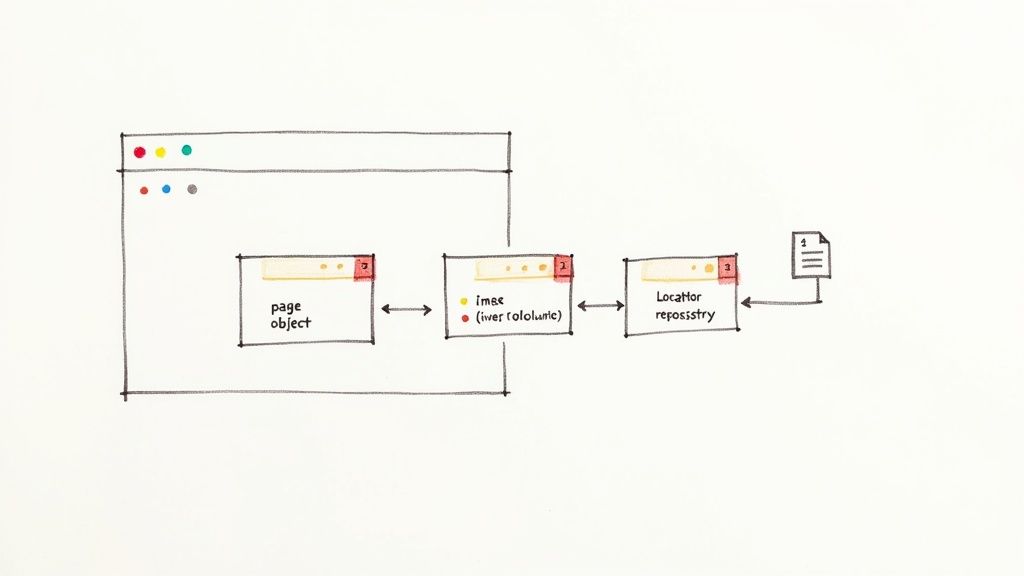
When your startup's UI tests start to feel like a house of cards, where a single CSS class change brings down a dozen tests, it is time to adopt a more robust architecture. One of the most foundational test automation best practices is the Page Object Model (POM). This design pattern treats each page or significant component of your user interface as an object, creating a clean API that separates test logic from the messy, ever changing details of your HTML structure.
Instead of embedding fragile selectors like driver.find_element(By.ID, "login-button") directly into your test scripts, you create a dedicated class for each page. This class encapsulates all the element locators and the methods that interact with them. Your tests then call these high level methods, like login_page.submit_credentials("user", "pass"), completely unaware of the underlying implementation. I once got stuck for hours trying to fix a suite of broken tests before realizing a single ID had changed on our login page. That pain is exactly what POM prevents.
Why It Works So Well
The magic of POM is maintainability. When a developer renames an ID or refactors a component, you only need to update the locator in one place: the corresponding Page Object class. All tests using that object are fixed instantly, drastically reducing maintenance overhead and preventing code duplication. This makes your test suite more resilient to UI changes, a common pain point in fast moving startup environments.
Actionable Tips for Implementation
To get the most out of POM, follow these guidelines:
- One Class Per Page/Component: Create a distinct Page Object class for each unique page or significant reusable component (like a navigation bar or a complex modal).
- User Action Methods: Name methods after user actions, not the UI elements they manipulate. For example, prefer
login_page.login_with_valid_credentials()overlogin_page.click_submit_button(). - Keep Locators Private: Encapsulate element locators within the class. Your tests should never access them directly, only through public methods.
- Use Explicit Waits: Implement explicit waits within your Page Object methods to handle dynamic content and network latency, ensuring your tests are reliable and not flaky.
2. Integrate Tests into Your CI/CD Pipeline
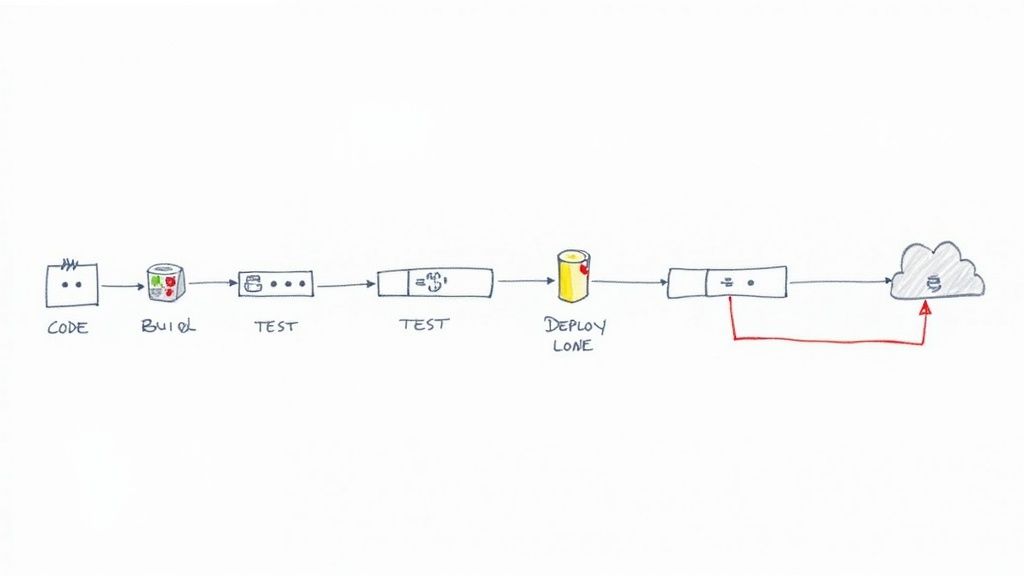
If your automated tests only run on a developer's local machine, you are missing the biggest force multiplier in modern software delivery. One of the most critical test automation best practices is to deeply integrate your test suite into a Continuous Integration/Continuous Deployment (CI/CD) pipeline. This practice transforms testing from a sporadic, manual checkpoint into an automated, always on quality gate that provides immediate feedback on every code change.
Integrating tests into CI/CD means that every time a developer pushes code, an automated process kicks off that builds the application, runs the tests, and reports the results. Tools like GitHub Actions, GitLab CI, or Jenkins become the impartial arbiters of code quality, catching bugs moments after they are introduced. This prevents broken code from being merged into the main branch or deployed to production, a safety net that is indispensable for fast moving teams.
Why It Works So Well
The power of CI/CD integration lies in its ability to shorten the feedback loop. Developers know almost instantly if their change broke something, allowing them to fix it while the context is still fresh in their minds. This "fail fast" approach stops small issues from compounding into complex, production level failures. It fosters a culture of collective ownership and accountability for quality, as the pipeline's status is a transparent indicator of the codebase's health.
Actionable Tips for Implementation
To successfully integrate testing into your pipeline, follow these strategic steps:
- Start with Fast Tests: In the early stages of your pipeline (e.g., on every commit to a pull request), run your fastest tests first, such as unit and component tests. This provides the quickest possible feedback.
- Parallelize Slower Tests: Run slower, more comprehensive tests like integration and end to end suites in parallel to minimize the total execution time. Trigger these on a less frequent basis, like after a merge to the main branch.
- Containerize Environments: Use tools like Docker to ensure your test environments are consistent, ephemeral, and identical to production. This eliminates the dreaded "it works on my machine" problem. For a deeper dive into setup, you can learn more about building consistent development environments with Docker.
- Implement Automated Rollbacks: Configure your deployment pipeline to automatically roll back a release if critical post deployment tests fail, protecting your users from broken builds.
3. Drive Quality from the Start with Test Driven Development (TDD)
What if instead of writing tests after your code is done, you wrote them before a single line of implementation exists? This counterintuitive approach is the core of Test Driven Development (TDD), a development discipline that fundamentally shifts your focus from "does it work?" to "how can I prove it works?". Popularized by pioneers like Kent Beck, TDD transforms automated tests from a verification afterthought into a design tool.
The process follows a simple, powerful rhythm known as "Red, Green, Refactor". First, you write an automated test for a new feature that, naturally, fails (Red). Next, you write the minimum amount of production code required to make that test pass (Green). Finally, you clean up the code, improving its structure and clarity without changing its behavior (Refactor). This cycle ensures that every piece of code is written with a clear, testable purpose from its inception, making it one of the most proactive test automation best practices you can adopt.
Why It Works So Well
TDD forces you to think through requirements and design before you start coding, leading to simpler, more modular, and loosely coupled systems. Because every feature begins with a failing test, you build an incredibly comprehensive regression suite organically. This creates a safety net that gives developers the confidence to refactor and add new features without fear of breaking existing functionality. For startups, this means higher quality code and faster, safer iteration cycles.
Actionable Tips for Implementation
To integrate TDD effectively into your team's workflow, focus on these principles:
- Start Small: Begin with simple, isolated unit tests for new functions or bug fixes. This helps build momentum and demonstrate the value of the cycle.
- One Test at a Time: Strictly follow the Red, Green, Refactor cycle for a single piece of behavior. Avoid the temptation to write multiple tests or features at once.
- Focus on Behavior: Write your tests to describe what the code should do, not how it does it. This makes your tests more resilient to implementation changes.
- Don't Skip Refactor: The refactoring step is crucial. It is where you improve the design of your code, remove duplication, and ensure it remains clean and maintainable.
4. Employ Data Driven Testing for Broad Coverage
Imagine you need to test an e commerce checkout flow. Do you write one test for a user buying a book, another for a user buying a laptop with a discount code, and a third for an international order? This approach quickly leads to a bloated, unmanageable test suite. A more scalable strategy, and a core test automation best practice, is data driven testing. This approach separates your test logic from the test data, allowing you to run a single test script against hundreds of different scenarios.
You write one generic test case, for example test_checkout_flow, and feed it data from an external source like a CSV file, a database, or even a simple JSON object. Each row or entry represents a unique scenario: a different user role, product combination, payment method, or shipping address. The test logic remains the same, but its execution is driven by the data, massively improving your test coverage without duplicating code.
Why It Works So Well
The primary benefit is efficiency and scalability. Instead of writing 100 near identical test scripts, you write one script and create a data set with 100 rows. This makes your test suite lean and powerful. When a new edge case is discovered, you simply add another row of data rather than writing a whole new test. This is especially critical for systems with complex business rules, like financial applications testing various account types or a Salesforce instance with dozens of user profiles and permission sets.
Actionable Tips for Implementation
To implement data driven testing effectively, consider the following:
- Version Control Your Data: Store your test data files (e.g., CSV, YAML, JSON) in your Git repository alongside your test code. This ensures that your tests are always run against the correct version of the data.
- Use Meaningful Data: Avoid using random or placeholder values like
"test1"and"test2". Use realistic, descriptive data that makes test failures easier to debug. For sensitive information, use anonymized but structurally valid data. - Separate Data from Logic: Use decorators or built in features from your test framework (like
pytest.mark.parametrize) to feed data into your test functions. Your test function should know nothing about where the data comes from. - Leverage Data Factories: For generating complex, nested objects, use libraries like
factory_boy(for Python/Django) to create data builders. This helps you generate consistent and valid test data on the fly, reducing boilerplate.
5. Embrace Behavior Driven Development (BDD) to Align Teams
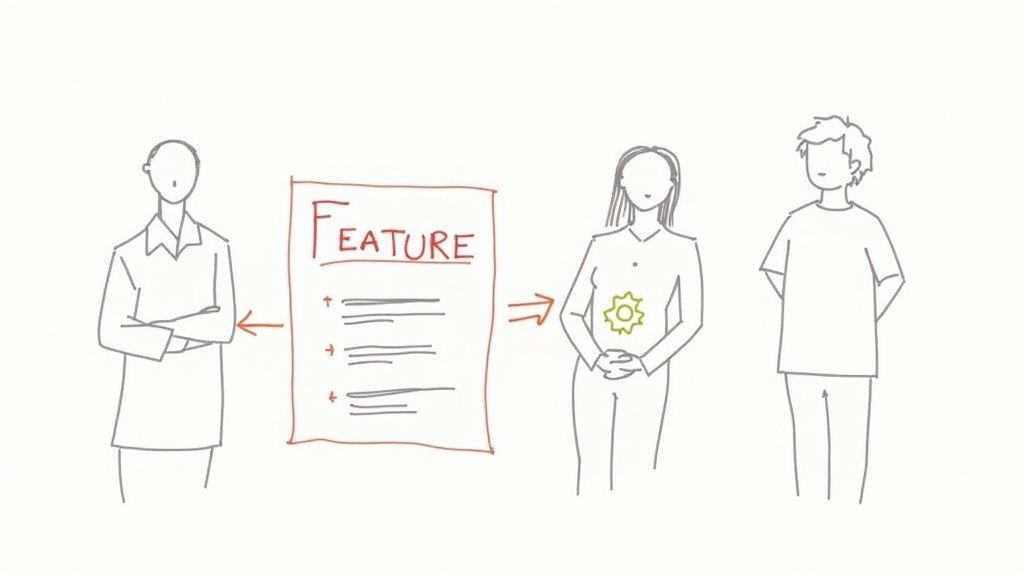
When your test suites pass but the delivered feature still misses the mark from a business perspective, it is a sign of a communication gap. This is where Behavior Driven Development (BDD) comes in, acting as a powerful bridge between technical implementation and business requirements. BDD extends Test Driven Development by writing tests in a natural, human readable language that everyone from the product manager to the QA engineer can understand and contribute to.
Instead of writing tests that verify a function's output, BDD encourages teams to define application behavior from the user's perspective. Using a "Given When Then" format with tools like Cucumber or Behave, you create living documentation that is also an executable test suite. For example, a scenario for a shopping cart might read: Given a user has added an item to their cart, When they navigate to the checkout page, Then they should see the item listed with the correct price.
Why It Works So Well
The core benefit of BDD is shared understanding. By using a common language, it ensures developers, QA, and business stakeholders are perfectly aligned on what needs to be built before a single line of code is written. This collaborative approach reduces ambiguity, minimizes rework, and ensures the final product delivers genuine business value. This makes it one of the most strategic test automation best practices for fostering collaboration and preventing costly misunderstandings.
Actionable Tips for Implementation
To effectively integrate BDD into your workflow, consider these tips:
- Focus on One Behavior: Each scenario should test a single, specific behavior. Avoid cramming multiple "When-Then" pairs into one scenario, as this makes it harder to debug and understand.
- Collaborate on Scenarios: Feature files should be a collaborative effort. Hold "three amigos" sessions (developer, tester, business analyst) to write scenarios together, ensuring all perspectives are captured.
- Keep It Declarative: Avoid technical details in your feature files. Scenarios should describe what the system does, not how it does it. For example, use "When I log in" instead of "When I fill in the username field and click the login button".
- Use Scenario Outlines: For data driven tests, use Scenario Outlines to run the same scenario with multiple sets of example data. This keeps your feature files clean and avoids repetitive steps.
6. Implement Risk Based Testing to Maximize Impact
In a startup environment, you never have enough time or resources to test everything. The temptation is to spread your testing efforts thinly across the entire application, which often leads to critical bugs slipping through in high stakes areas. A smarter approach is to adopt risk based testing, a strategic framework that directs your most intense automation efforts toward the parts of your product that pose the greatest business risk.
This methodology forces you to think like a business owner, not just a tester. It involves identifying potential failures and evaluating them on two axes: the probability of the failure occurring and the impact it would have on the business if it did. Features with both high probability and high impact, like a payment gateway failure on an ecommerce site, become your top priority. This data driven approach ensures your limited testing bandwidth is spent where it truly matters, maximizing your ROI and protecting core business functions.
Why It Works So Well
Risk based testing transforms your QA process from a reactive, bug hunting exercise into a proactive, strategic function aligned with business goals. It provides a defensible rationale for why you are testing certain areas more than others, a crucial communication tool when discussing trade offs with product managers and stakeholders. By focusing on critical paths, you build a safety net around your most valuable features, reducing the likelihood of catastrophic failures that could damage revenue or user trust. This is a vital practice for preventing the kind of skeletons that a technical due diligence checklist might uncover later.
Actionable Tips for Implementation
To effectively integrate risk based testing into your workflow, consider these steps:
- Host Risk Workshops: Involve product managers, developers, and business stakeholders in a collaborative session to identify and rank risks. Their diverse perspectives are essential for a comprehensive assessment.
- Create a Risk Matrix: Use a simple matrix to visually plot features based on their probability and impact scores. This makes prioritization clear and easy to communicate.
- Focus on Business and Technical Risks: Consider both business impacts (e.g., lost revenue, reputational damage) and technical risks (e.g., complex code, new technology, high defect history).
- Iterate and Reassess: Your risk landscape is not static. Revisit your risk assessment at key project milestones or when significant changes are introduced to the application.
7. Test Environment and Data Management
Your tests pass flawlessly in staging, but the moment the code hits production, everything breaks. This familiar nightmare often points to a critical blind spot: inconsistent test environments and messy test data. One of the most impactful test automation best practices is establishing dedicated, production like test environments with a clear data management strategy, ensuring your tests are a true reflection of reality.
This practice involves creating isolated, configurable, and repeatable environments that mirror your production setup. Instead of running tests against a shared, chaotic staging server where data is unpredictable, you provision clean environments on demand. This approach treats your testing infrastructure with the same rigor as your production infrastructure, using tools and strategies to manage configuration, data, and deployments systematically. Your tests then execute against a known, controlled state, eliminating the "it worked on my machine" class of bugs.
Why It Works So Well
The core benefit is reliability. When your test environment perfectly mimics production, you can trust your test results. This practice eliminates false positives and negatives caused by environmental drift, such as different library versions, network configurations, or database schemas. For a startup, this means catching critical bugs before they impact users, building confidence in your deployment pipeline and enabling your team to ship features faster and more safely.
Actionable Tips for Implementation
To build a robust test environment and data strategy, follow these key guidelines:
- Use Infrastructure as Code (IaC): Employ tools like Terraform or AWS CloudFormation to define your test environments in code. This makes provisioning new environments a repeatable, automated, and error free process.
- Embrace Containerization: Use Docker and Kubernetes to package your application and its dependencies into portable containers. This guarantees that the environment running your tests is identical everywhere, from a developer's laptop to the CI/CD pipeline.
- Automate Data Seeding and Cleanup: Develop scripts to populate your test database with a known, consistent set of data before each test run and tear it down afterward. Database cloning or snapshot restoration tools can dramatically speed this up.
- Isolate Environments: Ensure each test run or feature branch gets its own isolated environment. This prevents tests from interfering with each other by modifying the same data or state, a common source of flaky tests.
8. Embrace the Test Pyramid Strategy
Are your CI/CD pipelines taking longer than a coffee break because of slow, brittle end to end tests? If you feel like your test suite is an inverted pyramid, heavy at the top and prone to toppling over, it is time to rebalance your approach. The Test Pyramid is a foundational strategy in test automation best practices that guides the distribution of your tests to optimize for speed, cost, and reliability. It advocates for a large base of fast unit tests, a smaller middle layer of integration tests, and a tiny, focused top layer of end to end tests.
Popularized by thought leaders like Mike Cohn and widely adopted by tech giants like Google and Microsoft, this model provides a clear blueprint for a healthy test suite. Instead of relying on slow, expensive UI tests to catch every bug, you push testing as far down the pyramid as possible. Unit tests are cheap to write and execute in milliseconds, providing rapid feedback to developers. Integration tests verify interactions between components, and the few end to end tests confirm that critical user journeys work as expected in a fully deployed environment.
Why It Works So Well
The beauty of the Test Pyramid is its efficiency. By focusing on a strong foundation of unit tests, teams can catch the vast majority of bugs early in the development cycle when they are cheapest to fix. This structure significantly reduces reliance on flaky and slow end to end tests, leading to faster CI/CD pipelines and increased developer productivity. It creates a feedback loop that is fast, reliable, and sustainable, which is critical for any startup aiming to ship high quality software quickly.
Actionable Tips for Implementation
To build a robust test pyramid, consider these practical steps:
- Audit Your Current Test Suite: Start by categorizing your existing tests. How many are unit, integration, and end to end? Visualize your current shape to identify imbalances.
- Shift Tests Downward: For every new feature, challenge your team to write tests at the lowest possible level. Could that end to end test be replaced by a more focused integration or unit test?
- Isolate with Mocks and Stubs: Use mocking and stubbing frameworks to isolate the system under test, especially for unit tests. This ensures they are fast and not dependent on external services.
- Reserve E2E for Critical Paths: Limit slow end to end tests to validate critical business workflows only, like the user registration and checkout process. They are your safety net, not your primary testing tool.
9. Complement Automation with Exploratory Testing and Documentation
While a robust suite of automated checks forms the backbone of your quality assurance, it cannot catch everything. Automated tests are brilliant at verifying known requirements, but they are blind to the unknown unknowns. This is where one of the most crucial test automation best practices comes into play: supplementing your scripts with human led exploratory testing. This flexible approach empowers testers to simultaneously design and execute tests, leveraging their intuition, domain knowledge, and understanding of user behavior.
Instead of following rigid, predefined scripts, exploratory testing is a creative and investigative process. A tester might start with a specific goal, or "charter," like "investigate the new user onboarding flow for potential usability issues," and then freely explore the application. This unscripted journey often uncovers unexpected bugs, edge cases, and subtle usability flaws that a purely automated strategy would miss. The key is to pair this freedom with systematic documentation of findings to make the process repeatable and valuable.
Why It Works So Well
The power of this dual approach lies in its comprehensiveness. Your automated regression suite acts as a safety net, ensuring existing functionality never breaks. Meanwhile, exploratory testing acts as a reconnaissance mission, actively seeking out new and unforeseen problems. This combination provides a much higher level of confidence before a release. It bridges the gap between what the code is supposed to do and what it actually does when a real human interacts with it in unpredictable ways.
Actionable Tips for Implementation
To integrate exploratory testing effectively alongside your automation, follow these guidelines:
- Create Test Charters: Define a clear mission for each session. A charter outlines the scope, goals, and any specific areas to target, giving structure without being overly prescriptive.
- Use Time Boxed Sessions: Keep sessions focused and intense by limiting them to 60 or 90 minutes. This encourages deep investigation and prevents burnout.
- Standardize Documentation: Use consistent formats for bug reports and observation logs. Clear, well documented findings are essential for developers to reproduce and fix issues. You can find excellent advice on this in guides covering API documentation best practices, as the principles of clarity and consistency are universal.
- Rotate Testers: Bring in different team members, including developers and product managers, to run sessions. Fresh eyes often spot problems that others have become accustomed to.
- Debrief Immediately: Hold a quick meeting right after a session to discuss findings with the development team while the context is still fresh in everyone's mind.
10. Test Reporting, Metrics, and Analytics
Running thousands of automated tests is impressive, but without clear reporting, it is just noise. If your team only looks at a green checkmark in CI/CD without understanding what it truly represents, you are missing a critical feedback loop. A systematic approach to test reporting and analytics transforms raw execution data into actionable insights, providing a real time health check on your product's quality.
This practice involves moving beyond simple pass/fail counts to a dashboard of meaningful metrics. Instead of just knowing a test run succeeded, you can track test execution rates, defect trends, and code coverage over time. This data provides visibility into test effectiveness and overall product quality status, allowing your startup to make informed decisions about releases, technical debt, and process improvements. It's the difference between flying blind and navigating with a full instrument panel.
Why It Works So Well
The core benefit is visibility. Effective test metrics provide a clear, data driven narrative about your quality engineering efforts. When a stakeholder asks, "Are we ready to release?", you can answer with data on defect escape rates, test coverage for new features, and flaky test trends, not just a gut feeling. This data helps pinpoint recurring issues, identify brittle parts of your application, and measure the ROI of your automation efforts, turning testing from a cost center into a strategic quality driver.
Actionable Tips for Implementation
To build a meaningful analytics practice, focus on metrics that drive action:
- Align with Business Goals: Define metrics that matter to your product and engineering goals. Focus on defect escape rates or time to resolution over vanity metrics like the total number of tests.
- Track Trends Over Time: A single number is a snapshot; a trend tells a story. Monitor metrics like test suite execution time, pass/fail ratios, and flaky test occurrences across builds to spot patterns.
- Integrate and Automate: Use CI/CD plugins (for Jenkins, GitHub Actions) or dedicated tools like TestRail to automatically collect and display data. Manual report generation is not sustainable.
- Create Dashboards: Centralize key metrics into a single, easily accessible dashboard. This provides stakeholders with a constant, transparent view of product quality without needing to ask. For more on this, check out this guide to engineering productivity measurement on kdpisda.in.
Test Automation: 10 Best Practices Comparison
| Approach | Implementation complexity | Resource requirements | Expected outcomes | Ideal use cases | Key advantages |
|---|---|---|---|---|---|
| Page Object Model (POM) | Moderate high initial design; low ongoing | Skilled automation engineers, codebase and locator repo | Improved maintainability, reduced duplication | Large web UIs, enterprise apps, stable test suites | Centralized locators, encapsulation, reusable page methods |
| CI/CD Integration | High (pipeline, infra, optimization) | CI servers, build agents, test environments, tooling | Immediate feedback, faster releases, consistent runs | Frequent commits, continuous delivery orgs | Early defect detection, parallel execution, quality gates |
| Test Driven Development (TDD) | Medium high; cultural and discipline change | Developer time, unit test frameworks, mocks/stubs | More modular, testable code and high unit coverage | Backend services, libraries, long lived systems | Encourages clean design, reduces defects, living tests |
| Data Driven Testing | Moderate; adds data management complexity | Test data sources (CSV/DB/JSON), parameterization tooling | Broader scenario coverage with minimal script changes | Scenario heavy domains (e commerce, finance, healthcare) | Scales scenarios, reduces script duplication, non tech data input |
| Behavior Driven Development (BDD) | Medium high; tooling and collaboration needed | BDD tools (Cucumber/SpecFlow), stakeholder time | Executable, business aligned specifications and shared understanding | Cross team features, regulatory/business critical requirements | Bridges business & tech, readable specs, reduces misinterpretation |
| Risk Based Testing | Moderate; requires risk process and review | SME involvement, risk analysis artifacts, prioritization effort | Focused coverage on highest impact areas, optimized ROI | Safety or business critical systems with limited test budget | Efficient allocation of effort, reduces release risk |
| Test Environment & Data Management | High; complex infra and data processes | IaC, containers/orchestration, ops support, data anonymization | Stable, repeatable tests and fewer environment related failures | Microservices, large distributed systems, CI/CD parity needs | Environment parity, reproducibility, faster debugging |
| Test Pyramid Strategy | Low medium; requires discipline to shift strategy | Developer time for unit tests, test frameworks | Faster suites, lower maintenance, early bug detection | Teams wanting fast feedback and maintainable suites | Fast execution, cost effective testing, easier debugging |
| Exploratory Testing & Documentation | Low tool setup; high reliance on tester skill | Experienced testers, session management and reporting tools | Discovery of edge cases, usability and unexpected issues | New features, UX/security testing, complex flows | Flexible discovery, finds issues automation misses, rapid insights |
| Test Reporting, Metrics & Analytics | Medium high; data pipelines and dashboards | Test management/analytics tools, data integration, analysts | Visibility into quality trends, data driven decisions | Organizations needing transparency and KPI tracking | Actionable metrics, stakeholder communication, trend detection |
Your Blueprint for Resilient Testing
We have journeyed through a comprehensive landscape of test automation best practices, from foundational strategies like the Test Pyramid and Test Driven Development to the nuanced art of managing test data and environments. We have seen how integrating tests into your CI/CD pipeline transforms them from a chore into a real time safety net, and how frameworks like the Page Object Model bring much needed sanity to complex UI automation.
But let's pause and reflect. The true value of these practices is not in their isolated implementation. Adopting Data Driven Testing is powerful, but it becomes exponentially more effective when coupled with robust CI/CD integration and clear reporting. Likewise, a well defined Test Pyramid strategy loses its impact without disciplined test data management to prevent flaky, unreliable results. These concepts are not a checklist to be completed; they are interlocking gears in a single, well oiled machine designed to produce high quality software with confidence and speed.
From Theory to Actionable Strategy
The core takeaway is that implementing these test automation best practices is a cultural and architectural commitment, not just a technical one. It's about shifting the engineering mindset from "testing as a final gate" to "quality as a continuous process". For startups and scale ups where every engineering hour counts, this shift is the difference between sustainable growth and accumulating technical debt that grinds innovation to a halt.
So, where do you begin? Avoid the temptation to boil the ocean.
- Start with the Biggest Pain Point: Are flaky E2E tests slowing down your deployments? Focus on implementing a better Test Pyramid and shoring up your test data strategy first. Is your team uncertain about what to test? Introduce Behavior Driven Development to bridge the communication gap between product and engineering.
- Make CI/CD Your North Star: The ultimate goal is fast, reliable feedback. Every practice you adopt should serve this purpose. Prioritize changes that shorten the feedback loop, whether that's parallelizing test runs, optimizing your test suite, or providing clearer, more actionable failure reports.
- Champion Ownership and Collaboration: Testing is a team sport. Encourage developers to write and own tests for their features (TDD is a great framework for this). Make test results highly visible and a central part of your team's daily standups and sprint planning. Quality is not just the QA engineer's job; it's everyone's responsibility.
The Long Term Impact of Resilient Testing
Mastering these concepts is about more than just catching bugs. It's about building a resilient engineering culture. It's about giving your team the psychological safety to refactor complex code, to innovate on new features, and to deploy multiple times a day without fear. This is the competitive edge that allows a startup to outmaneuver larger, slower incumbents. A mature testing strategy builds the confidence needed to move fast and not break things, or at least, to fix them before any user ever notices.
While this article focused heavily on automation, it's crucial to remember that these practices exist within a larger quality assurance ecosystem. For a broader perspective on overall software quality and advanced strategies that complement test automation, consider reviewing these 10 Software Testing Best Practices for Elite Teams in 2025.
Ultimately, the journey toward elite test automation is an iterative one. You will make mistakes, your tests will still occasionally flake, and your priorities will shift. But by applying these test automation best practices as a guiding blueprint rather than a rigid set of rules, you will build a robust, scalable, and resilient system that not only ensures quality but actively accelerates your product's evolution.
Feeling overwhelmed by technical debt or unsure how to build a scalable testing foundation for your startup? Kuldeep Pisda offers fractional CTO and specialized consulting services to help engineering teams implement these best practices effectively. Let's build a resilient testing strategy that empowers your team to innovate with confidence. Kuldeep Pisda
Subscribe to our newsletter.
Become a subscriber receive the latest updates in your inbox.




Member discussion